Yes, you can create music with AI easily, even if you have no music production experience.
Today’s AI tools allow you to generate full songs, existing tracks, or change vocals using simple inputs like text prompts or audio files. In most cases, the process takes just a few minutes.
The key is understanding which workflow to use and choosing the right tool for your goal.
In this guide, you’ll learn exactly how to create music with AI songs step by step, along with the easiest tools to get usable results fast.
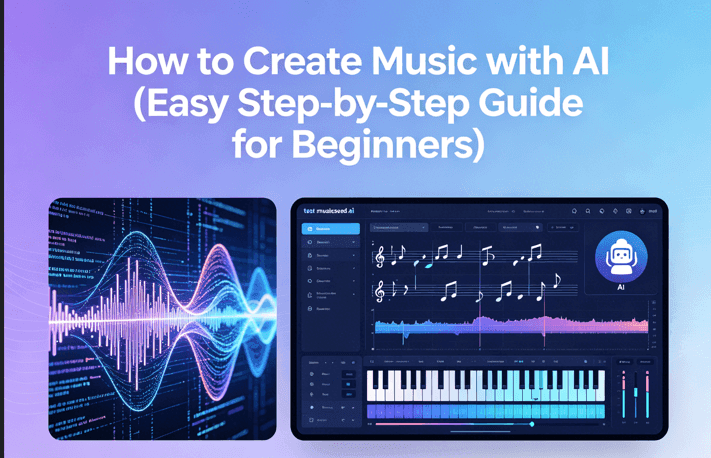
Core Method: How to Create Music with AI
Step 1 – Decide what you want to create
Start by choosing your direction:
- Create a new song
- make an existing track
- Modify vocals, tempo, or style
👉 This decision determines your workflow and tools.
Step 2 – Choose the right AI tool
Different tools serve different purposes:
- Full song creation → AI music generators
- Remixing → AI remix tools
- Vocal editing → AI voice tools
If your priority is speed, tools like MusicSeed allow you to create music with AI by generating complete tracks from simple prompts.
👉 Choosing the right category matters more than choosing a specific tool.
Step 3 – Input your idea (prompt, audio, or lyrics)
AI tools typically accept:
- Text prompts (style, mood, genre)
- Audio files (for remixing)
- Lyrics (for song generation)
Example prompt: “emotional pop remix, slower tempo, female vocal, soft piano”
👉 Clear inputs lead to more accurate results.
Step 4 – Generate your track
Once your input is ready:
- Generate multiple versions
- Compare outputs
- Select the strongest result
👉 AI works best when you iterate, not when you rely on a single output.
Step 5 – Refine and export your result
After generating your track:
- Adjust style or structure
- Improve prompts
- Regenerate if needed
Most tools also allow you to export ready-to-use audio for videos, content, or projects.
👉 Treat AI output as a starting point, not the final version.
Quick Answer – Create Music with AI
you can create music with AI easily, and the process is much simpler than most people expect. In most cases, it comes down to three basic actions:
- Start with an idea — either create a new track or remix an existing one
- Use an AI tool — type a prompt or upload your audio
- Generate and adjust — try a few versions and keep the best result
👉 Most AI music tools can produce a usable track in minutes, even if you’ve never made music before.
How to Create Music with AI (Step-by-Step)
Step 1: Choose Your Goal (Create)
Decide what you want to do:
- Create a new song from scratch
- Remix an existing track
- Modify vocals, tempo, or style
👉 This determines your workflow and tools.
Step 2: Choose an AI Music Tool
Different tools serve different purposes:
- Create music → AI music generators
- Remix songs → AI remix tools
- Edit vocals → AI voice tools
If your priority is speed, tools like MusicSeed allow you to create music with AI by generating full tracks from simple prompts.
👉 Choosing the right tool type matters more than the brand.
Step 3: Input Your Idea (Prompt or Audio)
Provide your input:
- Text prompt (for new songs)
- Audio file
- Lyrics (optional)
Example prompt: “emotional pop remix, slower tempo, female vocal, soft piano”
👉 Clear inputs produce better results.
Step 4: Generate Your Music
- Generate multiple versions
- Compare outputs
- Select the best result
👉 Always test variations—AI improves with iteration.
Step 5: Refine and Export Your Track
- Adjust style or structure
- Improve prompts
- Regenerate if needed
Most tools let you export ready-to-use audio for videos, content, or projects.
👉 The first result is a draft—refinement creates quality.
Quick Workflow
To create music with AI, follow this structure:
- Idea → Choose tool → Input → Generate → Refine
👉 This simple loop is enough to produce usable music in minutes.
Best AI Tools to Create Music (By Use Case & Workflow)
Choosing the right tool to create music with AI depends on how you want to work. Some tools are built for speed, while others focus on control or customization.
BeepBox
- Best for: beginners learning basic music structure
- Input: manual melody creation
- Output: loop-based tracks
- Why choose: extremely simple and fast
BeepBox is ideal if you want to understand how music works before using more advanced AI music tools.
MusicSeed
- Best for: fast full song generation
- Input: text prompt or idea
- Output: complete structured tracks
- Why choose: minimal effort, usable results
MusicSeed is one of the most efficient ways to create music with AI. You can generate full songs in seconds, making it ideal for content creators who need ready-to-use audio.
Comparison Insight: Compared to manual tools, AI-based platforms like MusicSeed prioritize speed and usability, making them better for fast production workflows.
FamiTracker
- Best for: precise chiptune or retro-style music
- Input: manual composition
- Output: detailed tracks
- Why choose: full control over sound
Soundation
- Best for: hybrid music production
- Input: multiple formats
- Output: full songs
- Why choose: flexible online DAW
BandLab
- Best for: collaboration and sharing
- Input: multi-input
- Output: full songs
- Why choose: cloud-based workflow
The best tools to create music with AI fall into three groups:
- AI generators for speed
- Choose tools for transformation
- Manual tools for control
👉 Choosing the right type matters more than choosing a specific tool.
📊 AI Music Tools Comparison (Create Workflow)
Choosing the right tool to create music with AI depends on your input type, desired output, and level of control. Some tools are optimized for fast generation, while others allow deeper editing and customization.
| Tool | Best For | Input Type | Output | Ease |
| BeepBox | Beginners | Manual | Loops | Easy |
| MusicSeed | Full songs | Prompt | Full tracks | Easy |
| FamiTracker | Precision | Manual | Full tracks | Hard |
| Soundation | Hybrid | Multi-input | Full tracks | Medium |
| BandLab | Collaboration | Multi-input | Full songs | Easy |
Key Insight (How to Choose Faster)
To create music with AI, focus on workflow rather than features:
- Fast results → AI generators (prompt → full track)
- Create workflow → audio input → transformation tools
- Advanced control → manual or hybrid tools
👉 The fastest path to usable music is: prompt or audio → AI generation → light refinement
How AI Music Creation Works
Core idea
To create music with AI, you choose between:
- Create → generate new music
- Remix → transform existing tracks
- Enhance → modify vocals or style
⚙️ System logic
AI music tools operate in layers:
- Input → prompt / audio
- Processing → generation / transformation
- Output → song
👉 Better input leads to better output.
⚡ Speed vs control
- AI tools → fast and simple
- Manual tools → precise but slower
👉 Most users benefit from combining both.
💡 Bottom line
👉 Simple input → AI generation → light refinement
This is the fastest way to get usable results.
How to Choose the Right AI Music Tool
- Beginner → use simple AI tools
- Fast results → use AI generators
- Remix focus → use remix tools
- More control → use manual tools
👉 Match tools to your goal.
Tips to Get Better Results
- Use clear prompts
- Generate multiple versions
- Focus on mood and style
- Keep inputs simple
- Refine instead of restarting
Conclusion
It’s now easier than ever to create music with AI. With the right workflow, you can turn simple ideas into usable tracks in minutes, even without prior experience.
The key is choosing the right approach, use AI tools for speed, remix tools for transformation, and combine both when needed to improve quality.
👉 Start simple, test multiple versions, and refine your results step by step. Small adjustments often make the biggest difference.