Creating music with MIDI has been a core part of digital music production for decades. MIDI files allow musicians to control notes, rhythm, and structure without committing to a final sound.
However, traditional MIDI workflows often require advanced software, virtual instruments, and technical knowledge.
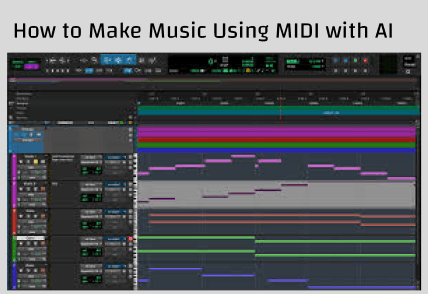
In 2026, artificial intelligence has dramatically simplified this process. You can now make music using MIDI with AI for free, directly in your browser, without expensive DAWs or professional training.
This step-by-step guide explains exactly how MIDI works with AI, why it’s useful, and how beginners can turn simple MIDI ideas into complete music tracks using free AI tools.
What You Need to Make Music Using MIDI AI for Free
Before you begin, make sure you have the basics:
Required
- A MIDI file (or a simple MIDI clip)
- An internet browser
- A free AI music tool that supports MIDI or MIDI-based workflows
Not Required
- DAW software
- Recording equipment
- Music production skills
- Paid plugins or instruments
Many modern AI platforms allow free experimentation, making MIDI-based music creation more accessible than ever.
How to Make Music Using MIDI with AI for Free
This is the core process. Follow these steps in order for best results.
Step 1: Prepare or Create a MIDI File
You can get MIDI files in several ways:
- Export MIDI from a DAW (if you already use one)
- Download free MIDI files online
- Create a simple MIDI melody using a browser-based MIDI editor
- Use a basic keyboard app to record notes
For best results:
- Keep the MIDI simple (melody or chord progression)
- Avoid overly dense note patterns
- Clear timing and rhythm helps AI interpretation
AI works best when MIDI data is clean and intentional.
Step 2: Choose a Free AI MIDI Music Tool
Not all AI music tools support MIDI directly. Look for tools that:
- Accept MIDI uploads
- Or allow MIDI-inspired workflows (MIDI → style → music)
- Offer free testing or preview generation
Some AI platforms interpret MIDI directly, while others combine MIDI input with text prompts to shape the final sound.
Step 3: Upload MIDI or Convert MIDI into AI Input
There are two common approaches:
Option A: Direct MIDI Upload
If the tool supports MIDI:
- Upload your MIDI file
- Select a style or genre
- Let AI interpret the notes
Option B: MIDI + Text Description
If direct upload is unavailable:
- Use MIDI as your composition reference
- Add a text prompt describing:
- Genre (pop, EDM, cinematic)
- Mood (happy, dark, emotional)
- Tempo (slow, upbeat)
This hybrid approach often produces better musical results.
Step 4: Let AI Generate the Music
Once your MIDI and settings are ready, the AI will:
- Assign instruments automatically
- Build harmony and bass lines
- Adjust rhythm and groove
- Apply stylistic choices
- Generate a complete audio track
This process usually takes seconds to minutes, depending on the platform.
At this stage, you’re no longer working with MIDI—you’re listening to real music.
Step 5: Preview, Edit, and Download
Most AI tools allow you to:
- Preview the generated music
- Regenerate variations
- Adjust style or mood
- Download the result (often with free limits)
If the result isn’t perfect:
- Simplify your MIDI
- Clarify the style description
- Try a different tempo or genre
Iteration is part of the creative process.
Can You Make Music Using MIDI AI Without Experience?
Yes—this is one of the biggest advantages of AI-based MIDI workflows.
AI eliminates:
- Manual instrument selection
- Mixing and mastering steps
- Complex arrangement decisions
Beginners can focus entirely on ideas, while AI handles execution.
Even experienced musicians use AI MIDI tools for:
- Rapid prototyping
- Demo creation
- Style experimentation
What Kind of Music Can You Create from MIDI with AI?
AI MIDI tools support a wide range of genres, including:
- Pop
- EDM
- Lo-fi
- Hip-hop
- Cinematic
- Ambient
- Acoustic
You can create:
- Instrumental tracks
- Background music
- Song demos
- Soundtracks for video or games
MIDI acts as the musical skeleton; AI adds the personality.
Is AI MIDI Music Really Free?
Many AI music tools offer free access, but with limitations:
Common Free Restrictions
- Short track length
- Limited downloads
- Watermarked previews
- Non-commercial usage only
For personal projects, learning, or testing ideas, free plans are often sufficient. Always review licensing terms before using AI-generated music commercially.
Common Mistakes When Using MIDI with AI
Avoid these common issues:
1. Overcomplicated MIDI
Too many notes can confuse AI interpretation.
2. No Style Guidance
AI needs context—always specify mood or genre.
3. Expecting Final Results Instantly
Treat AI output as a draft you can refine.
4. Ignoring Timing and Rhythm
Poor MIDI timing leads to awkward musical output.
What Does “Make Music Using MIDI with AI” Mean?
MIDI (Musical Instrument Digital Interface) is not audio. Instead, it’s a set of instructions that tells a system:
- Which notes to play
- When to play them
- How long they last
- How hard or soft they should be
Traditionally, MIDI requires virtual instruments or hardware synthesizers to turn those instructions into sound. AI changes this entirely.
When you make music using MIDI with AI, the AI:
- Interprets MIDI note data
- Expands it into melody, harmony, and rhythm
- Applies genre, mood, and style
- Generates real audio output automatically
Instead of manually choosing instruments and mixing tracks, AI completes the musical interpretation for you.
Why Use AI to Make Music from MIDI?
Using AI with MIDI solves many problems in traditional music production.
1. MIDI Alone Sounds Empty
Raw MIDI files have no character until instruments are assigned. AI adds tone, emotion, and structure automatically.
2. No Need for Complex Software
Traditional MIDI workflows require DAWs like Ableton or Logic. AI tools work online and handle sound design for you.
3. Faster Creative Workflow
AI instantly turns MIDI sketches into listenable music, perfect for demos, content creation, or inspiration.
4. Beginner-Friendly
You don’t need music theory, sound libraries, or production experience.
MIDI vs Text vs Lyrics: Which Is Better for AI Music?
Each input method has strengths:
MIDI
- Best for musical control
- Ideal for composers
- Requires some structure
Text
- Best for beginners
- Focuses on mood and vibe
- No musical knowledge required
Lyrics
- Best for songwriters
- Produces vocal-based music
- Less control over melody
Many creators combine MIDI with text prompts for optimal results.
Make Music Using MIDI with AI for Free Today
Making music with MIDI no longer requires expensive tools or years of training. With modern AI, MIDI has become a powerful creative shortcut rather than a technical obstacle.
By combining simple MIDI ideas with AI interpretation, anyone can:
- Create full tracks
- Explore new styles
- Build demos quickly
- Learn music composition intuitively
If you’ve ever struggled with traditional MIDI workflows, AI-based music creation offers a faster, more accessible alternative, often completely free to try.
🥇 Related Articles:
- 8 Best Music Making Websites in 2026
- How to Make a Song with AI (Beginners' Step-by-Step Guide)
- How to Write Music: A Step-by-Step Guide