Introduction
LALAL.AI is one of the most searched AI audio separation tools for users who want to remove vocals, isolate instruments, clean noisy speech, or create stems from a finished audio file. Many users discover it while searching for lalal.ai reviews, AI vocal remover tools, stem splitter software, or a quick way to separate vocals and instrumentals without using a DAW.
Unlike a full AI music generator, LALAL.AI does not create a new song from a prompt. Its main job is to take an existing audio or video file and separate it into usable parts. For example, you can upload a song and extract vocals, instrumental, drums, bass, guitar, piano, synth, strings, or other stems. You can also use related voice-cleaning features to reduce noise, echo, or background interference.
This review looks at lalal.ai from a practical user perspective. Instead of only listing features, it focuses on what the tool actually does well, where it still struggles, how pricing works, what real users say, and whether it is worth paying for in 2026.
Quick Verdict:
LALAL.AI is worth trying if you need fast vocal removal, stem splitting, or voice cleanup from an existing audio file. Its best results are strong enough for covers, demos, karaoke tracks, remix drafts, music study, and content editing.
However, it is not perfect for every song. Dense mixes, distorted recordings, heavy compression, reverb, and overlapping instruments can still create artifacts or robotic vocal tones. Users should always preview the output before spending paid minutes.
If you want to separate existing audio, LALAL.AI is a strong choice. If you want to create original music from lyrics, prompts, moods, or ideas, MusicSeed is the better fit because it helps users generate new tracks instead of only editing finished audio.
Quick Overview: What LALAL.AI Does
LALAL.AI is best understood as an AI vocal remover, audio separator, voice cleaner, and stem extraction tool. It is built for people who already have an audio file and want to separate or clean it quickly without using complex audio editing software.
| Category | Details |
|---|---|
| Type | AI vocal remover, stem splitter, voice cleaner, and audio separation tool |
| Main Output | Vocal stems, instrumental tracks, isolated instruments, cleaned voice, separated audio files |
| Skill Level | Beginner-friendly, but paid minutes and settings may take time to understand |
| Main Strength | Strong vocal and instrument separation for many common music and video workflows |
| Main Limitation | Some tracks still produce artifacts, robotic vocals, or incomplete separation |
| Best For | Karaoke tracks, remix prep, acapella extraction, speech cleanup, music study, video editing |
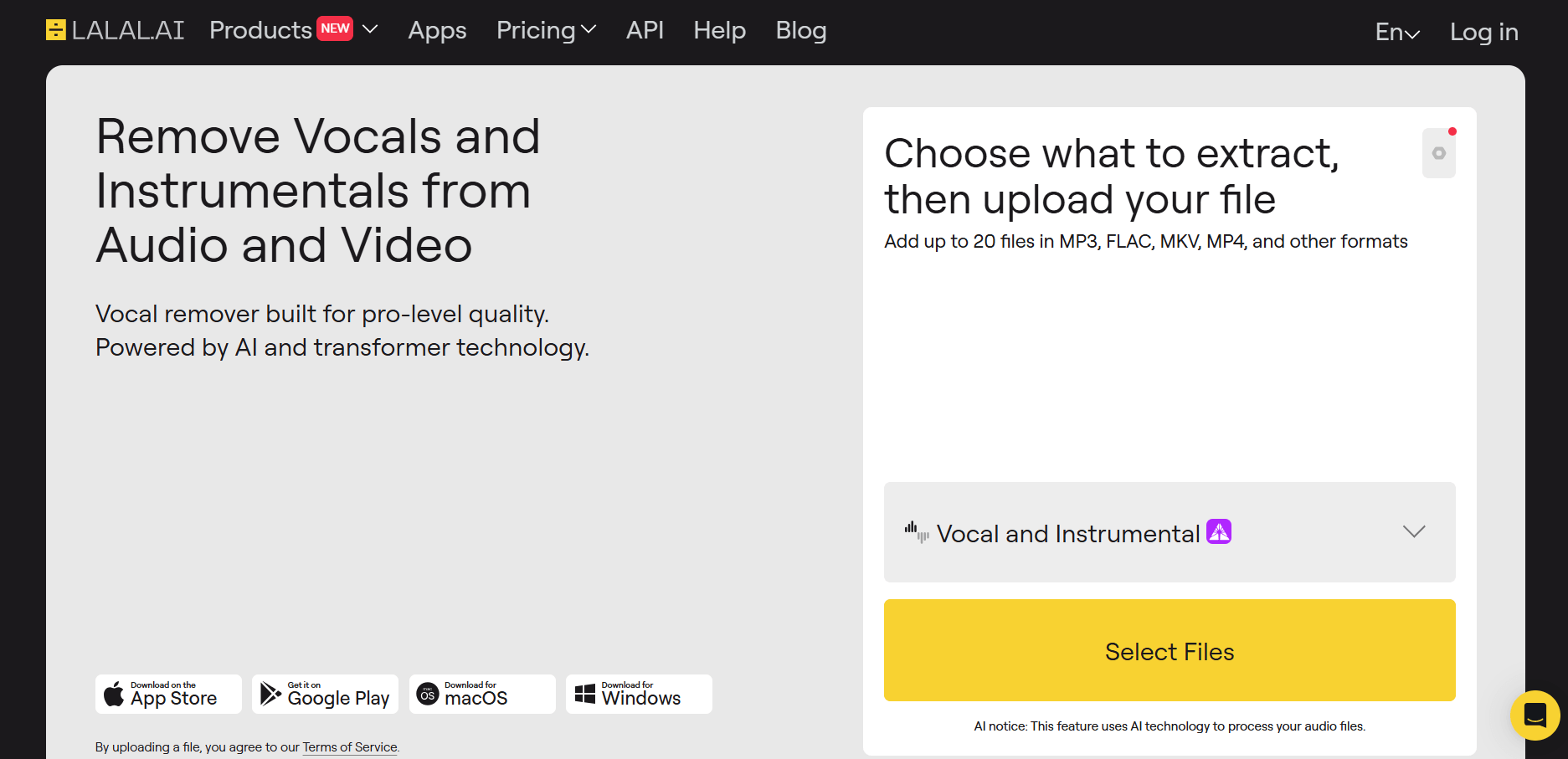
The biggest reason users choose LALAL AI is convenience. You upload a file, choose what you want to separate, preview the result, and then process the full track if the preview sounds good. For quick vocal removal or stem extraction, this workflow is much easier than opening a DAW and trying to isolate frequencies manually.
However, the result still depends heavily on the source file. A clean, high-quality track usually performs better than a compressed, distorted, or heavily layered mix.
LALAL.AI Rating Summary
Overall Rating: ⭐⭐⭐⭐☆ 4.3/5
LALAL.AI earns a strong rating because it often produces clean, useful stems with very little setup. For vocals and instrumentals, the quality can be impressive, especially when the original mix is clear. Many users say it saves time compared with manual editing or testing multiple free vocal remover tools.
Best for: musicians, remix creators, video editors, karaoke makers, podcasters, music teachers, content creators, and anyone who needs to separate an existing audio file.
Main Strength: LALAL.AI can quickly create usable vocal, instrumental, and instrument stems from many finished tracks.
Main Limitation: The separation is not perfect on every song. Dense mixes, heavy compression, reverb, backing vocals, and overlapping instruments can still lead to artifacts or missing details.
For casual and semi-professional workflows, the tool is often good enough. For professional release, users should still review the output carefully and clean it further if needed.
What Real Users Say in lalal.ai Reviews
Real user feedback is mostly positive, but it is not one-sided. Many users praise LALAL.AI for speed, ease of use, and better-than-expected separation quality. At the same time, several reviews mention issues with artifacts, unclear paid-minute usage, limited tutorials, and disappointment when the paid output does not match expectations.
What Users Like
A common positive point is that the tool works well for vocal and instrumental separation. One user said the software did a strong job separating vocals and instrument stems, with very few songs being too difficult for it. This matches the core use case behind searches for “lalal ai vocal remover”: fast vocal and instrumental separation from finished tracks.
A long-term lalal.ai user mentioned that the separation quality had improved over several years, with less spill, fewer missing vocal sounds, and better frequency response. This matters because many AI audio tools improve through model updates, and loyal users often notice whether the output becomes more stable over time.
Several users also praised the tool for practical, real-world audio rescue. One wedding video editor described a situation where a radio mic captured heavy interference from a venue PA system. After trying manual repair methods, they used LALAL.AI and were impressed by how well it extracted speech from the noisy, distorted file. This shows that lalal.ai can be useful beyond music separation, especially for voice cleanup in video production.
Musicians also respond positively when the output is clean. One professional musician with decades of experience described the separation of vocals, instruments, and backing vocals as close to studio quality. Another user said they had tried many websites and applications to remove or isolate vocals, and lalal.ai was the best option they found, especially when the source file was loud and clear enough.
Some users also like the flexibility. One reviewer noted that they preferred LALAL.AI because it could process different types of audio files for private editing, practice, or study, instead of limiting the workflow to only a narrow set of source materials.
Common Complaints
The most repeated criticism is that LALAL.AI can still leave small pieces of music inside vocal stems. One user said the tool worked very well overall, but some songs still had tiny instrumental fragments left in the voice line. This is a realistic limitation of AI separation because vocals and instruments often share frequencies, reverb, and stereo space.
Beginners also mention that the visual interface is easy to understand, but the output can vary by stem type. One beginner liked the graphic presentation and found the splits generally good, but said some parts were missing and bass was not always separated strongly enough. They also wanted a clearer way to listen before downloading, which connects directly to the importance of previewing results before spending paid minutes.
Another user said the quality was almost fully accurate when removing an instrument for a game mod, but still recommended small improvements. This type of feedback is useful because it shows the tool can be very good without being flawless.
Documentation is another complaint. One reviewer said the software itself did a good job, but they had trouble finding clear training videos or documentation that explained what a new user should know before using the tool. They eventually understood how the software worked and how purchased minutes were spent, but it took a day of use. This is a real onboarding issue: even when the LALAL AI interface feels easy to start, the pricing and processing logic may not be immediately obvious.
The strongest negative review focused on paid expectations. One user bought lalal.ai for stem splitting and vocal removal, but felt pressured into membership when trying to download the split file. They later felt the stems had too many artifacts and that the vocals sometimes sounded robotic. They also struggled to find a refund option. This does not mean every paid user will have the same experience, but it does highlight why users should preview carefully and understand the refund policy before buying.
One reviewer also pointed out a realistic limitation of any AI stem splitter: separating stems from a finished master is different from having access to the original pre-mixdown tracks, so even strong results may not be identical to studio stems.
Overall, users generally appreciate the speed and quality of LALAL.AI, especially for vocals and instrumentals. The main concerns are artifacts, robotic vocal tones in some files, bass separation limits, unclear beginner guidance, and pricing expectations.
What LALAL.AI Actually Does
LALAL.AI is an AI audio separation platform that removes or isolates vocals, instrumentals, individual instruments, noise, echo, and reverb from uploaded audio or video files.
In practical terms, this means you can use it to create an instrumental version of a song, extract an acapella, isolate drums or bass, remove background music from speech, or clean a noisy voice recording. As an AI stem splitter, it is especially useful when you need quick vocal, instrumental, or instrument stems from a finished track.
Some users may also search for LALAL AI Voice Changer when looking for voice-related editing tools, but LALAL.AI is better known for vocal removal, stem splitting, and voice cleanup rather than full voice transformation.
It is important to understand what it does not do. LALAL.AI is not a full song generator. It will not write lyrics, compose melodies, arrange a track, or create a song from a text prompt. If your goal is to generate original music from an idea, lyrics, mood, or genre description, a tool like MusicSeed is a better fit.
Pricing: Is lalal.ai Free or Paid?
lalal.ai offers a free Starter option, but it is mainly useful for testing the platform and previewing results. For regular use, full downloads, larger files, faster processing, and heavier workflows, users usually need a paid plan or additional processing minutes.
| Plan Type | Best For | Main Notes |
| Starter | First-time testing | Useful for previews and checking quality before paying |
| Lite | Light regular users | Better for users who need occasional full processing |
| Pro | Frequent users | Better for heavier workflows and more processing minutes |
| Top-Up Packages | Extra minutes | Useful when users need more processing time without changing plans |
The key pricing detail is that LALAL.AI uses a minute-based system. This means the real cost depends on how much audio you process and how many stems you need. A user who only removes vocals from short clips will spend minutes differently from someone extracting vocals, drums, bass, piano, and guitar from several full songs.
This is why some beginners feel confused. The upload and preview workflow is simple, but the way paid minutes are spent may take time to understand. Before paying, users should upload a test file, preview the output, and check whether the result is good enough for their use case.
For users who process stems regularly, LALAL.AI can be good value. For one-time users who only need a single vocal removal task, the paid model may feel less attractive unless the preview result is clearly better than free alternatives.
Before You Pay
Before buying LALAL.AI minutes or a subscription, test the preview with your own file first. Pay attention to vocal bleed, robotic tones, missing details, instrument leakage, and speech artifacts.
The tool can produce impressive results, but paid access does not guarantee perfect studio stems from every finished track. It is also worth checking how downloads, minutes, subscriptions, and refund terms work before you purchase. This is especially important if you only need one file or are testing the platform for the first time.
How to Use the LALAL.AI Vocal Remover
The LALAL.AI Vocal Remover is easy to start, but the best results come from preparing the right file and previewing carefully.
Step 1: Decide What You Need
Start with a clear goal. If you want karaoke, choose vocal and instrumental separation. If you need a remix stem, choose vocals, drums, bass, guitar, piano, synth, or another instrument. If you are editing speech, choose voice cleanup, noise removal, or related settings.
This step matters because every extra stem can affect processing time and paid-minute usage.
Step 2: Upload a Clean Source File
High-quality audio usually gives better results. WAV and FLAC files are better than low-bitrate MP3 files when available. If the track is distorted, heavily compressed, full of reverb, or crowded with overlapping sounds, the AI may still separate it, but the output is more likely to contain artifacts.
Step 3: Preview the Result
Previewing is the most important part of the workflow. Before using paid minutes or processing the full file, listen for common issues:
| What to Check | Why It Matters |
| Vocal bleed | Instrumental parts may remain in the vocal stem |
| Missing vocal details | Soft consonants, backing vocals, or reverb tails may disappear |
| Robotic tone | Some vocals can sound processed or unnatural |
| Weak bass split | Bass may overlap with kick drums or synth layers |
| Background noise | Speech cleanup may reduce noise but not remove every artifact |
Step 4: Adjust and Re-Test
If the preview is not clean, try a different stem type, upload a cleaner file, or test another section of the song. For voice cleanup, lowering or changing the processing strength may sometimes produce a more natural result.
Step 5: Process and Download
Once the preview is usable, process the full file and download the result. For professional use, it is still worth checking the stem in headphones and inside your video editor or DAW before publishing.
The experience is simple, but users should not skip the preview stage. Most disappointment happens when users expect a perfect studio stem from a finished master without checking whether the preview is actually usable.
Real Workflow Test: LALAL AI Stem Splitter
Test Scenario
Imagine a creator has a finished pop song and wants three outputs: an instrumental version for a cover video, a vocal stem for remix practice, and a bass stem for learning the arrangement.
Process
The creator uploads the song and first selects vocal and instrumental separation. After the preview is generated, they check whether the vocal stem contains too much music bleed and whether the instrumental still has vocal shadows.
If the preview sounds good, they process the full split. Then they repeat the process for bass separation. This is where the minute-based pricing matters because extracting several stems from one song can use more processing time than a simple vocal/instrumental split.
Output Quality
For vocal and instrumental separation, LALAL.AI usually performs well when the original file has a clear lead vocal and a balanced mix. The vocal stem can be clean enough for remix sketches, practice, sample study, or social content. The instrumental track can work for karaoke-style use, although faint vocal traces may remain in some songs.
Instrument stems can be more variable. Bass, guitar, piano, and drums may separate well in some tracks but less cleanly in dense mixes. If bass overlaps with kick drums or synths, the result can include bleed or missing low-end detail.
Example Result
For a clean pop track, the creator may get a usable acapella, a mostly clean instrumental, and a bass stem that helps with learning or remix planning. For a dense rock, metal, orchestral, or compressed EDM track, the result may still be useful, but it may need extra editing before professional use.
Compared with simple free vocal removers, LALAL.AI usually offers more stem choices and stronger control. Compared with a full DAW workflow, it is much faster. Compared with AI music generators like MusicSeed, it solves a different problem: it edits existing audio rather than creating new music.
Pros and Cons: Separation Quality, Pricing, and Artifacts
Pros
- Strong vocal and instrumental separation for many common tracks
- Supports multiple stem types, including vocals, drums, bass, guitar, piano, synth, strings, and wind instruments
- Useful for music, video, podcast, speech cleanup, karaoke, and remix workflows
- Beginner-friendly upload and preview workflow
- Can save time compared with manual DAW editing
- Good option for users who need fast online stem separation
- Positive long-term user feedback suggests quality has improved over time
Cons
- Some stems still contain artifacts, bleed, or missing details
- Robotic vocal tones can appear in difficult tracks
- Bass and instrument separation may be less reliable in dense mixes
- Minute-based pricing can be confusing for beginners
- Full downloads usually require a paid plan or minutes
- Some users want better tutorials and documentation
- Refund expectations should be checked before purchase
The overall balance is clear: LALAL.AI is strong when you need quick separation from existing audio, but users should not expect perfect original studio multitracks from every finished song.
Compare LALAL.AI vs Other AI Music Tools
LALAL.AI should be compared by task. It is excellent for separating audio, but it is not designed for the same job as an AI song generator, a musician practice app, or a professional audio repair suite.
| Tool | Best For | Main Difference |
| LALAL.AI | Stem splitting, vocal removal, voice cleanup | Best for separating existing audio files |
| MusicSeed | Creating AI songs from ideas, lyrics, or prompts | Better for generating new music instead of splitting tracks |
| Moises | Practice, learning, stem playback | Strong for musicians who need tempo, key, and practice tools |
| VocalRemover.org | Simple vocal removal | Easier for casual use, but less advanced |
| Ultimate Vocal Remover | Local/open-source separation | Powerful for technical users, less beginner-friendly |
| iZotope RX | Professional audio repair | Better for restoration, dialogue repair, and post-production |
The decision is simple. Choose LALAL.AI if you already have audio and need to separate it. Choose MusicSeed if you want to create a new song from scratch. Choose Moises if your goal is practice and learning. Choose iZotope RX if you need advanced restoration and have professional audio skills.
Best Alternatives to LALAL.AI in 2026
MusicSeed
MusicSeed is the best alternative if your goal goes beyond removing vocals or splitting stems. While LALAL.AI helps edit existing audio, MusicSeed helps users create original songs from lyrics, prompts, moods, and genre ideas.
This makes it a better fit for creators who need background music, song demos, social videos, or original music ideas instead of extracted stems. If you want to make music rather than only separate audio, MusicSeed is the stronger creative option.
Moises
Moises is a strong alternative for musicians, singers, music teachers, and students. It combines stem separation with practice features, making it useful for learning songs, adjusting tempo, changing pitch, or studying arrangements.
Choose Moises if your main goal is music practice.
VocalRemover.org
VocalRemover.org is a simple option for users who only need fast vocal removal. It is less advanced than LALAL.AI, but it may be enough for casual karaoke tracks or quick instrumental extraction.
Choose VocalRemover.org if you want a lightweight vocal remover with fewer settings.
Ultimate Vocal Remover
Ultimate Vocal Remover is popular among users who want a free or local stem separation workflow. It can be powerful, but it requires more setup and is less beginner-friendly than a browser-based tool.
Choose Ultimate Vocal Remover if you are comfortable with technical tools and want more local control.
iZotope RX
iZotope RX is a professional audio repair suite. It is not just a stem splitter. It is better for noise reduction, dialogue repair, restoration, and post-production, but it is more expensive and harder to learn.
Choose iZotope RX if you need professional restoration rather than quick online separation.
Final Verdict on Alternatives
Best overall alternative: MusicSeed, if you want to create new music rather than only separate existing tracks.
Best for beginners: VocalRemover.org for simple vocal removal, or MusicSeed for easy song creation.
Best for professionals: iZotope RX for restoration and LALAL.AI for fast online stem separation.
LALAL.AI remains one of the stronger AI stem separation tools, but the best choice depends on the user’s real goal: splitting, practicing, restoring, or creating.
Rating Breakdown: Separation Quality, Pricing, and Ease of Use
LALAL.AI performs best in vocal removal, speed, and online convenience. It loses some points for pricing clarity, documentation, and occasional artifacts in difficult files.
| Evaluation Area | Rating | Notes |
| Vocal Removal Quality | 4.5/5 | Often clean and usable, especially with clear vocals |
| Instrumental Separation | 4.3/5 | Strong for many tracks, but vocal shadows may remain |
| Instrument Stem Quality | 4.1/5 | Good for common stems, less predictable in dense mixes |
| Ease of Use | 4.2/5 | Simple upload workflow, but paid-minute logic can confuse beginners |
| Pricing Value | 3.8/5 | Good for regular users, less ideal for one-time use |
| Documentation | 3.7/5 | Some users want clearer tutorials and beginner guidance |
| Creator Workflow Fit | 4.1/5 | Great for editing existing audio, not for generating new songs |
| Overall | 4.3/5 | Strong tool with realistic limits |
The key insight is that LALAL.AI is not a magic studio multitrack extractor. It is an effective AI separator that can produce very useful results, but quality still depends on the source file, mix density, and user expectations.
Use Cases for Vocal Removal, Stem Splitting, and Voice Cleanup
Case 1: Creating Karaoke or Instrumental Tracks
The most common use case is removing vocals from a song to create an instrumental version. This is useful for karaoke, singing practice, covers, and short-form video content.
Case 2: Extracting Vocals for Remixes
Producers and remix creators can use LALAL.AI to isolate acapellas from finished songs. The vocal stem may still need cleanup, but it can be useful for drafts, edits, mashups, and remix ideas.
Case 3: Separating Instruments for Music Study
Musicians can isolate bass, drums, piano, guitar, or synth to study arrangements. This is helpful for learning parts by ear, analyzing production, or rebuilding a song structure.
Case 4: Cleaning Speech from Noisy Audio
Video editors and podcasters can use voice cleanup to reduce background noise, music bleed, or interference from speech recordings. This is where the tool can be useful beyond music production.
Case 5: Preparing Assets for Content Creation
Creators can use separated vocals or instrumentals for TikTok, YouTube Shorts, Instagram Reels, and editing projects. However, users should always check copyright rules before publishing content based on copyrighted songs.
Example: A YouTube creator making a cover video could use LALAL.AI to create an instrumental track and record new vocals over it. If they need original background music instead, MusicSeed is the better fit because it helps create new music from lyrics, prompts, or ideas.
Note: If you use separated stems from copyrighted songs in public videos, remixes, or commercial projects, make sure you have the right to use the original material. LALAL.AI can separate audio, but it does not clear music rights for you.
Who This Tool Is For
Best For
LALAL.AI is best for users who already have an audio file and need fast, practical separation or cleanup. It is especially suitable for:
- Musicians who want to extract vocals, drums, bass, guitar, piano, or other stems for practice or arrangement study
- Remix creators who need acapellas or instrumental stems from finished tracks
- Karaoke makers who want to remove vocals and create sing-along versions
- Video editors who need to clean speech, reduce background noise, or separate voice from music
- Podcasters and content creators who need quick voice cleanup without advanced audio software
- Music teachers and students who want to isolate parts of a song for learning
- Users who prefer a browser-based workflow instead of setting up a DAW or technical software
For these users, LALAL.AI works well because it keeps the process simple: upload a file, preview the result, process the stem, and download the output.
Not Ideal For
LALAL.AI may not be the best choice for users who expect complete creative production or perfect studio-level separation from every file. It is less suitable for:
- Users who want to create original songs from lyrics, prompts, or ideas
- Beginners who need unlimited free downloads or do not want to deal with paid minutes
- Users who expect perfect studio multitracks from compressed or heavily mixed songs
- Professionals who need advanced manual repair, restoration, or deep post-production control
- One-time users who only need a single free vocal removal result
- Users who are sensitive to artifacts, robotic vocal tones, or small amounts of instrument bleed
- People who prefer detailed tutorials before spending paid processing minutes
If your goal is original song generation, MusicSeed is a better match. If your goal is advanced audio repair, iZotope RX may be stronger. If your goal is free local processing, Ultimate Vocal Remover may be worth testing.
In short, LALAL.AI is best for separating and cleaning existing audio. It is not designed to replace a full music creation workflow.
Conclusion: Is LALAL.AI Worth It?
LALAL.AI is worth trying in 2026 if you need a reliable AI vocal remover, stem splitter, or voice cleanup tool. Its best results can be impressive, and many users find the output clean enough for covers, demos, remixes, karaoke tracks, study, and content editing.
However, it is not perfect. Some files still produce artifacts, robotic tones, missing details, or instrument bleed. The pricing model also requires attention because paid minutes can be used quickly when processing multiple stems from the same track.
The final verdict: LALAL.AI is a strong choice for fast AI stem separation, especially when you already have audio to edit. If you want to create original music from lyrics, prompts, or ideas, MusicSeed is the better next step for turning a concept into a complete AI-generated track.