Introduction
Loudly is an AI music platform designed for creators who need fast, royalty-free music for videos, podcasts, ads, games, social media, client projects, and music releases. Instead of building a track from scratch in a DAW, users can generate music from prompts, adjust genre and structure, export audio assets, remix tracks, and continue editing the result in their own workflow.
This Loudly AI review focuses on what users actually want to know before signing up or paying: Is Loudly easy to use? Is the music good enough for real projects? Is Loudly pricing worth it? What do real users complain about? And are there better Loudly alternatives for full AI songs, vocals, stems, or professional music production?
The short answer is that Loudly is useful if you need quick instrumental music, creator-friendly background tracks, remix ideas, stems, and royalty-free assets. It is less ideal if you want full songs with strong vocals, detailed lyric-to-song control, or a tool with consistently positive public user feedback.
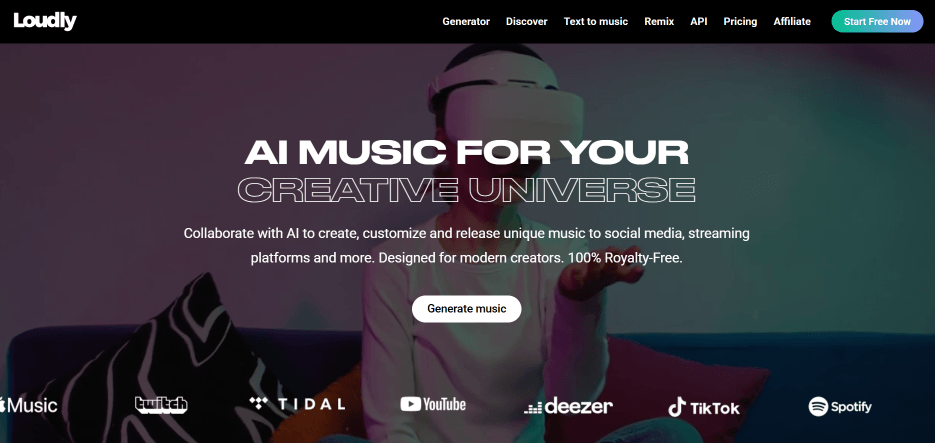
Quick Overview of Loudly AI
Loudly AI is more than a simple prompt-to-music generator. It combines AI music generation, text-to-music, remixing, stem exports, samples, mastering, studio-style effects, and distribution-related workflows. That makes it more useful for creators who want music assets they can actually use, not just short AI demos.
Key Facts
| Item | Details |
|---|---|
| Type | AI music generator, text-to-music tool, AI song remixer, stem splitter, sample generator, and music distribution platform |
| Output | AI-generated tracks, MP3/WAV files, stems, samples, remix versions, mastered tracks, and release-ready music assets depending on plan |
| Skill level | Beginner to intermediate |
| Main strength | Fast royalty-free instrumental music for creator workflows |
| Main limitation | Less ideal for full vocal songs, advanced lyric control, and highly distinctive artist-level production |
From a reviewer’s perspective, Loudly works best when the goal is practical music creation. If you need a background track for a YouTube video, podcast intro, product ad, social clip, game prototype, or brand campaign, Loudly can save time. If you want to create a complete song with vocals, lyrics, emotional storytelling, and more control over the arrangement, tools like MusicSeed, Suno, or Udio may fit the intent better.
Rating Summary
Overall Rating ⭐⭐⭐⭐☆ 4.3/5
Best for: YouTubers, podcasters, social media editors, indie creators, small brands, marketers, and beginners who need royalty-free music quickly.
Main strength: fast AI music generation with practical creator controls.
Main limitation: mixed public user feedback and limited control for users who want full songs with vocals and lyrics.
Loudly gets a strong product score because the workflow is fast, accessible, and useful for creators who need background music or instrumental assets. The lower user trust score reflects public complaints around billing, refund handling, support response, and repetitive output.
Loudly Pricing: Free Plan, Paid Plans, and Value
Loudly offers a free way to start generating music and paid options for users who need more usage, downloads, advanced exports, commercial workflows, stems, samples, and distribution-related features. Because pricing and plan limits can change, users should always check the live loudly.com pricing page before subscribing.
The free plan is best for testing. It helps users understand the interface, generation quality, music styles, and whether Loudly AI music fits their content needs. However, serious creators will likely need a paid plan if they want regular downloads, high-quality files, commercial use, stem exports, or release-related features.
Loudly Pricing Overview
| Plan Type | Best For | What to Check Before Paying |
| Free plan | Testing Loudly before committing | Generation limits, download limits, export quality, and commercial restrictions |
| Personal plan | Regular creators, YouTubers, podcasters, and small content teams | Monthly credits, MP3/WAV downloads, commercial rights, stems, and usage terms |
| Pro plan | Agencies, advanced creators, music producers, and commercial teams | Higher usage needs, asset exports, distribution options, and licensing coverage |
The main value of Loudly pricing is not only the ability to generate AI music. Users are also paying for a more complete creator workflow: downloads, better export formats, stems, samples, remixing, mastering, commercial usage, and music release support.
From a reviewer’s perspective, the safest approach is simple: start with the free plan, generate several tracks in your target style, test the download and editing workflow, then decide whether a paid plan is worth it. Users who are sensitive to subscription or refund issues should avoid jumping into annual billing before testing the product carefully.
What Real Users Say About loudly.com
Public user feedback for loudly.com is mixed. This is important because AI music tools often look impressive on product pages, but real user comments reveal where the experience may break down after payment.
At the time of review, Trustpilot showed loudly.com with a Poor rating from a small number of reviews. Trustpilot also noted that the company had no history of asking for reviews, so the rating may not represent every Loudly user. Still, the complaints are useful because they point to repeated risk areas around billing, refunds, support response, and output consistency.
What Users Like
Positive users tend to like Loudly because it makes music creation easier for non-producers. The platform gives creators a way to generate music quickly without needing music theory, mixing knowledge, or a traditional production setup.
One positive user mentioned that the free version offered “a lot of sounds and modifications.” That matches Loudly’s strongest use case: quick music ideas for users who need background tracks, podcast intros, social media music, or simple soundtrack options.
Users who need instrumental music for content may find Loudly convenient because it reduces the time spent searching through stock music libraries. Instead of browsing hundreds of tracks, users can generate music closer to their intended mood, genre, duration, or project style.
Common Complaints
The negative reviews are more serious. Some users complain about being charged after cancellation, having refund requests denied, or receiving slow support responses. These complaints do not prove that every user will have the same experience, but they are important for anyone considering a paid plan.
Another repeated complaint is that some generated beats can feel repetitive. This is common across AI music tools, especially when users rely on similar genres, prompts, or structures. For background music, repetition may be acceptable. For artist-level songs, it becomes a bigger issue.
What This Means for New Users
Loudly is worth testing, but users should be careful before paying. The product itself can be useful, especially for fast instrumental music, but the public review profile suggests that users should read the pricing, cancellation, refund, and license terms before subscribing.
The most practical advice is to test Loudly with a real project before upgrading. Generate tracks for the kind of content you actually make, check whether the sound feels fresh enough, confirm whether downloads and stems meet your needs, and only pay if the workflow solves a real problem.
What Loudly Actually Does
Loudly lets users generate, customize, remix, split, master, download, and release royalty-free AI music assets for creator and music workflows.
In simple terms, Loudly helps you move from an idea to a usable music asset. You can create tracks from prompts or settings, adjust mood and structure, export audio, pull stems, create samples, remix versions, and use the result in video, podcast, ad, game, social, or music production projects.
Real Workflow Test With Loudly AI Music Generator
Test Scenario
For this review, the most realistic test scenario is creating a 60-second background track for a product launch video. This use case reflects how many creators actually use AI music tools. They do not need a complex hit song. They need a clean, usable track that fits a short visual project.
Example prompt:
“Upbeat electronic pop background music for a modern product video, clean drums, bright synths, positive mood, no vocals, suitable for a short brand launch clip.”
This type of prompt gives Loudly clear direction: style, use case, mood, instruments, and vocal preference.
Generation Process
The workflow is beginner-friendly. Users can start with a prompt or song formula, then guide the result through genre, subgenre, BPM, key, duration, energy, instruments, and structure. Loudly then generates music options that can be previewed, refined, downloaded, remixed, or exported as assets.
For a beginner, this feels much easier than opening a DAW. You do not need to create drum patterns, write chords, mix instruments, or master the track manually. Loudly handles most of the arrangement and production direction.
For an experienced producer, the workflow may feel more limited. You can guide the AI, but you cannot always control every melody, transition, chord movement, audio layer, or mix detail exactly. That is the key trade-off: Loudly is fast, but not fully manual.
Output Quality
The output quality is strongest for instrumental background music. Loudly AI music generator can create tracks that work for videos, ads, podcasts, social media posts, product demos, and mood-based content.
For creator projects, the results can be practical. The tracks usually have a clear rhythm, understandable genre direction, usable structure, and enough polish for casual or semi-professional content. If the music sits behind voiceover or visual storytelling, it can be effective.
The weakness is distinctiveness. Some tracks may sound generic or repetitive after multiple generations, especially when the prompt is broad. If you need a memorable chorus, emotional vocal performance, or a signature artist sound, Loudly may not be the strongest option.
Example Result
A good result for the test prompt would be a bright electronic track with clean drums, soft synth hooks, a positive mood, and a simple structure that fits a 60-second brand video. It would likely need only minor edits such as trimming, fading, volume balancing, or syncing to cuts.
For a product video, that is enough. For a full song release, it may not be enough. This distinction is important because Loudly is better as a creator music tool than as a complete vocal songwriting platform.
Workflow Verdict
Loudly is easy to use and fast enough for real content workflows. It is especially helpful when users need several music directions quickly. However, users who want a more song-focused experience with lyrics, vocals, hooks, and emotional performance may prefer MusicSeed, Suno, or Udio.
Loudly AI Song Remixer and Stem Splitter
Loudly is not only an AI music generator. It also includes remix and stem workflows, which makes it more flexible than basic prompt-only tools.
The Loudly AI song remixer is useful for creating alternate versions of a track. Users can explore different directions, create social edits, build new variations, or test how a piece of music might work in another style. This is useful for creators who need multiple versions for different platforms.
The Loudly stem splitter is useful when users want separated audio parts for remixing or editing. Stems can help with DAW workflows, video editing, arrangement changes, sampling, and rebuilding tracks. For example, a creator may export drums, bass, melody, or vocal-related parts and adjust them separately.
These features make Loudly more practical than tools that only generate one final audio file. However, they still do not replace a professional DAW. The stem and remix tools are best used for fast creative editing, not full production control.
Pros and Cons of Loudly AI
Pros
| Pros | Why It Matters |
| Fast AI music generation | Useful for creators who need music quickly |
| Beginner-friendly workflow | No DAW or music theory required |
| Royalty-free music positioning | Helpful for videos, podcasts, ads, games, and social content |
| Commercial-use focus | Suitable for many creator and business workflows |
| Multiple music tools | Includes generation, remixing, stems, samples, mastering, and distribution |
| Good for background music | Strong fit for instrumental content |
| MP3/WAV and asset exports | More useful for real editing workflows |
| Free plan available | Users can test before paying |
Cons
| Cons | Why It Matters |
| Output can feel repetitive | Users may need multiple generations to find a fresh result |
| Limited deep editing | Not ideal for detailed production control |
| Mixed public reviews | Billing, refund, and support complaints may concern paid users |
| Not the strongest vocal song tool | Better for instrumental music than full songs with lyrics and vocals |
| Annual billing needs caution | Users should test the workflow before committing |
| Free plan has limits | Good for testing, but not enough for regular production |
| Less emotional uniqueness | Some tracks may feel functional rather than memorable |
Loudly is a good tool when speed, simplicity, and creator-ready instrumental music matter most. It is less convincing when users need advanced songwriting, strong AI vocals, detailed arrangement control, or a highly unique artist sound.
Compare Loudly With Other AI Music Tools
Loudly competes with several different types of AI music tools. Some focus on full songs with vocals. Some focus on background music. Some focus on cinematic composition. Others focus on stems, remixing, or music editing.
| Tool | Best For | Difference From Loudly |
| Loudly | Fast royalty-free instrumental music, remixing, stems, and creator workflows | Strong for practical creator music, less focused on full vocal songs |
| MusicSeed | Turning text or lyrics into full AI songs | More direct for full song creation with vocals and arrangements |
| Suno | Full AI songs with vocals and lyrics | Stronger for vocal songs and viral song ideas |
| Udio | AI song exploration and vocal music experiments | Better for creative song experiments |
| Soundraw | Customizable background music | Similar creator use case, more focused on stock-style control |
| Mubert | Royalty-free AI background tracks | Strong for continuous background music and stream-safe tracks |
| AIVA | Cinematic and structured composition | Better for orchestral, film, and game-style music |
| Boomy | Simple AI song generation | Easier for casual creation, but output quality may vary |
| Beatoven.ai | Video and podcast scoring | More focused on mood-based background scores |
| Moises | Stem separation and music practice | Better for editing existing songs than generating new tracks |
The main difference is intent. Choose Loudly if you need fast instrumental music, remix assets, stems, or background tracks. Choose MusicSeed, Suno, or Udio if you want a complete AI song with vocals and lyrics. Choose Soundraw, Mubert, or Beatoven.ai if your main need is background music for content. Choose AIVA if you need more structured composition.
Best Loudly Alternatives
1. MusicSeed
MusicSeed is a strong Loudly alternative for users who want to create full songs from text or lyrics. It is useful for beginners who want AI to handle melody, vocals, arrangement, and song structure in one workflow.
Choose MusicSeed if you want a more direct text-to-song or lyrics-to-song experience instead of mainly generating instrumental background music.
2. Suno
Suno is popular for generating full songs with vocals from short prompts. It works well for viral song ideas, demos, and quick creative experiments.
Choose Suno if vocals and catchy full songs matter more than stems, samples, or background music assets.
3. Udio
Udio is another strong AI music generator for vocal music, genre experiments, and song ideas.
Choose Udio if you want creative music exploration with stronger vocal-song direction.
4. Soundraw
Soundraw focuses on AI-generated background music for creators. It is useful for videos, ads, presentations, and content production.
Choose Soundraw if you want a focused background music generator with clean control options.
5. Mubert
Mubert is useful for royalty-free AI background music, streams, apps, videos, and long-form content.
Choose Mubert if you need fast soundtrack generation and do not need a full song structure.
6. AIVA
AIVA is better suited for cinematic, orchestral, and structured composition.
Choose AIVA if you need music for films, games, trailers, or more composition-heavy projects.
7. Beatoven.ai
Beatoven.ai focuses on mood-based background scoring for videos and podcasts.
Choose Beatoven.ai if your main use case is matching music to visual scenes.
8. Boomy
Boomy offers simple AI music creation and can be useful for casual users who want to generate tracks quickly.
Choose Boomy if you want a lightweight tool for quick music sketches.
9. Soundful
Soundful works well for creators, brands, and producers who want royalty-free tracks, loops, and style-based music generation.
Choose Soundful if you want a balance between creator content and production ideas.
10. Moises
Moises is not a direct AI music generator, but it is useful for stem separation, practice, remixing, and editing existing tracks.
Choose Moises if your workflow starts from existing audio rather than a new prompt.
Alternative Picks
| Need | Best Choice |
| Best overall alternative | MusicSeed |
| Best for beginners | MusicSeed or Suno |
| Best for professionals | AIVA or Soundraw |
| Best for background music | Soundraw or Mubert |
| Best for full AI songs | MusicSeed, Suno, or Udio |
| Best for stems | Moises or Loudly |
| Best for video scoring | Beatoven.ai |
Loudly is still competitive, but it is not the best answer for every music task. For full songs, MusicSeed, Suno, and Udio are stronger. For background music, Soundraw and Mubert are close alternatives. For remix and stem workflows, Loudly is more flexible than many basic AI music generators.
Rating Breakdown
Loudly vs Other AI Music Tools
| Evaluation Area | Loudly | MusicSeed | Suno | Udio | Soundraw | Mubert |
| Ease of Use | 4.6 | 4.6 | 4.5 | 4.3 | 4.5 | 4.4 |
| Full Song Creation | 3.7 | 4.6 | 4.7 | 4.6 | 3.5 | 3.3 |
| Background Music | 4.5 | 4.1 | 3.8 | 3.8 | 4.6 | 4.6 |
| Vocal Generation | 3.2 | 4.5 | 4.7 | 4.6 | 2.8 | 2.5 |
| Remix Workflow | 4.2 | 4.0 | 3.5 | 3.6 | 3.2 | 3.0 |
| Stems and Assets | 4.3 | 4.0 | 3.4 | 3.5 | 3.2 | 3.0 |
| Customization | 4.0 | 4.2 | 4.0 | 4.1 | 4.4 | 4.0 |
| Commercial Creator Use | 4.3 | 4.2 | 3.8 | 3.8 | 4.4 | 4.5 |
| User Trust | 3.4 | 4.2 | 3.6 | 3.7 | 4.0 | 4.0 |
Loudly performs best in background music, asset exports, remix workflows, and creator use cases. It is weaker in full vocal song generation and public user trust compared with some alternatives.
Key Evaluation Breakdown
| Quick Pick | Best Choice |
| I need background music for videos | Loudly, Soundraw, or Mubert |
| I want a full AI song from lyrics | MusicSeed |
| I want AI vocals and catchy songs | Suno |
| I want detailed AI song experiments | Udio |
| I need cinematic composition | AIVA |
| I need stems from existing audio | Moises or Loudly |
| I want a beginner-friendly all-round tool | MusicSeed or Loudly |
| I care most about pricing safety | Test free plans before annual billing |
The key insight is simple: Loudly is a creator music tool first. It is most valuable when speed, royalty-free usage, and production assets matter more than detailed songwriting control.
Loudly Use Cases
Case 1: YouTube Background Music
Loudly works well for YouTubers who need intros, outros, transition music, background loops, and clean instrumental beds. Instead of searching through stock libraries, creators can generate tracks that match a specific mood, length, or content style.
Example: A tech reviewer needs a clean electronic intro for a product comparison video. Loudly can generate several options quickly, and the creator can choose the version that fits the edit best.
Case 2: Podcast Intros
Podcasters can use Loudly to create short intros, outros, and transition sounds. This is useful for creators who want a custom audio identity but do not want to hire a composer.
Example: A business podcast needs a 20-second intro with a confident, modern feel. Loudly can create several polished instrumental ideas that can be trimmed and reused.
Case 3: Social Media Ads
Small brands and content teams can use Loudly AI music generator for TikTok, Instagram Reels, YouTube Shorts, and paid social clips.
Example: A skincare brand needs upbeat music for a 15-second product launch video. Loudly can generate short, bright tracks that support quick cuts and product visuals.
Case 4: Game and App Background Music
Indie developers and app teams can use Loudly for simple loops, menu music, ambient beds, and prototype soundtracks.
Example: A wellness app needs calm background music for onboarding screens. Loudly can generate soft ambient or lo-fi options without requiring a composer.
Case 5: Remix and Stem Editing
Users who want more control can use Loudly AI song remixer and Loudly stem splitter to create alternate versions or export editable parts.
Example: A creator generates a track, exports stems, and adjusts drums or melody layers in a DAW or video editor.
Who Loudly Is For
Best For
- YouTubers and short-form video creators
- Podcasters who need intro and transition music
- Social media editors
- Small brands creating ads and product videos
- Beginner creators without DAW experience
- Indie creators who need royalty-free background tracks
- Users who want fast instrumental AI music
- Creators who want stems, samples, and remix options
Not Ideal For
- Songwriters who need full lyric-to-song control
- Users who want strong AI vocals
- Producers who need detailed manual arrangement control
- Artists who need exclusive or highly distinctive songs
- Users who are sensitive to subscription and refund risk
- Teams that require fast customer support
- Musicians who need professional-level mixing flexibility
Loudly is best for practical content music. It is not the best fit for every music creator. If your goal is a video soundtrack, podcast intro, ad bed, or quick instrumental asset, it can be useful. If your goal is a complete vocal song, compare MusicSeed, Suno, and Udio first.
How to Use Loudly
Step 1: Choose the Right Loudly Tool
Start by choosing the workflow that matches your goal. Use the AI music generator for new instrumental tracks, text-to-music for prompt-based creation, AI song remixer for alternate versions, and stem splitter when you need editable parts.
This matters because Loudly has several tools. Choosing the wrong one can make the result feel close but not useful.
Step 2: Write a Clear Music Prompt
Avoid vague prompts like “cool music” or “happy beat.” Be specific about genre, mood, use case, duration, and whether you want vocals.
Better prompt example:
“Upbeat electronic background music for a 30-second product video, bright synths, clean drums, modern tech brand feeling, no vocals.”
Clear prompts usually lead to more useful results.
Step 3: Adjust Genre, BPM, Key, and Energy
Use available controls to refine the sound. Adjust genre, subgenre, BPM, key, instruments, structure, duration, and energy when possible.
For content music, the best result is not always the most complex track. It is the track that supports the video, voiceover, or message without distracting from it.
Step 4: Generate Several Versions
AI music often improves through iteration. Generate multiple versions and compare the intro, rhythm, transition, ending, and emotional tone.
If results sound repetitive, change the prompt, switch genres, adjust energy, or request different instruments. Small changes can make a noticeable difference.
Step 5: Download and Edit the Best Result
Once you find a strong version, download it in the format available under your plan. Then trim, fade, loop, or adjust volume in your video editor or DAW.
For commercial use, check the current license and plan terms before publishing. This is especially important for ads, client work, streaming releases, and monetized channels.
Usage Experience
Loudly feels smooth for beginner and creator workflows. It reduces the time needed to find or build background music. The biggest advantage is speed. The biggest trade-off is control.
If you want usable music fast, Loudly works well. If you want exact melodies, emotional vocal performance, complex arrangement control, or professional-level mix detail, you will probably need another tool or a DAW.
Conclusion
Loudly is a strong AI music platform for creators who need fast, royalty-free instrumental music, remix ideas, stems, samples, and project-ready audio. It is easy to use, quick to test, and practical for videos, podcasts, ads, social clips, games, and simple soundtrack needs.
Its biggest value is speed. Loudly AI can move users from an idea to a usable track in minutes. Its biggest weakness is user trust and creative depth. Public reviews show concerns about billing, refunds, support, and repetitive output, while advanced users may want more control than Loudly provides.
Final verdict: Loudly is worth trying if you need fast background music or creator-friendly AI music assets. It is worth paying for only after you have tested the free plan, checked the license terms, and confirmed that the output quality fits your projects. For full songs with lyrics and vocals, MusicSeed, Suno, and Udio are stronger alternatives. For background music, Loudly remains a practical choice, but users should be careful with annual billing. music tool.