Introduction
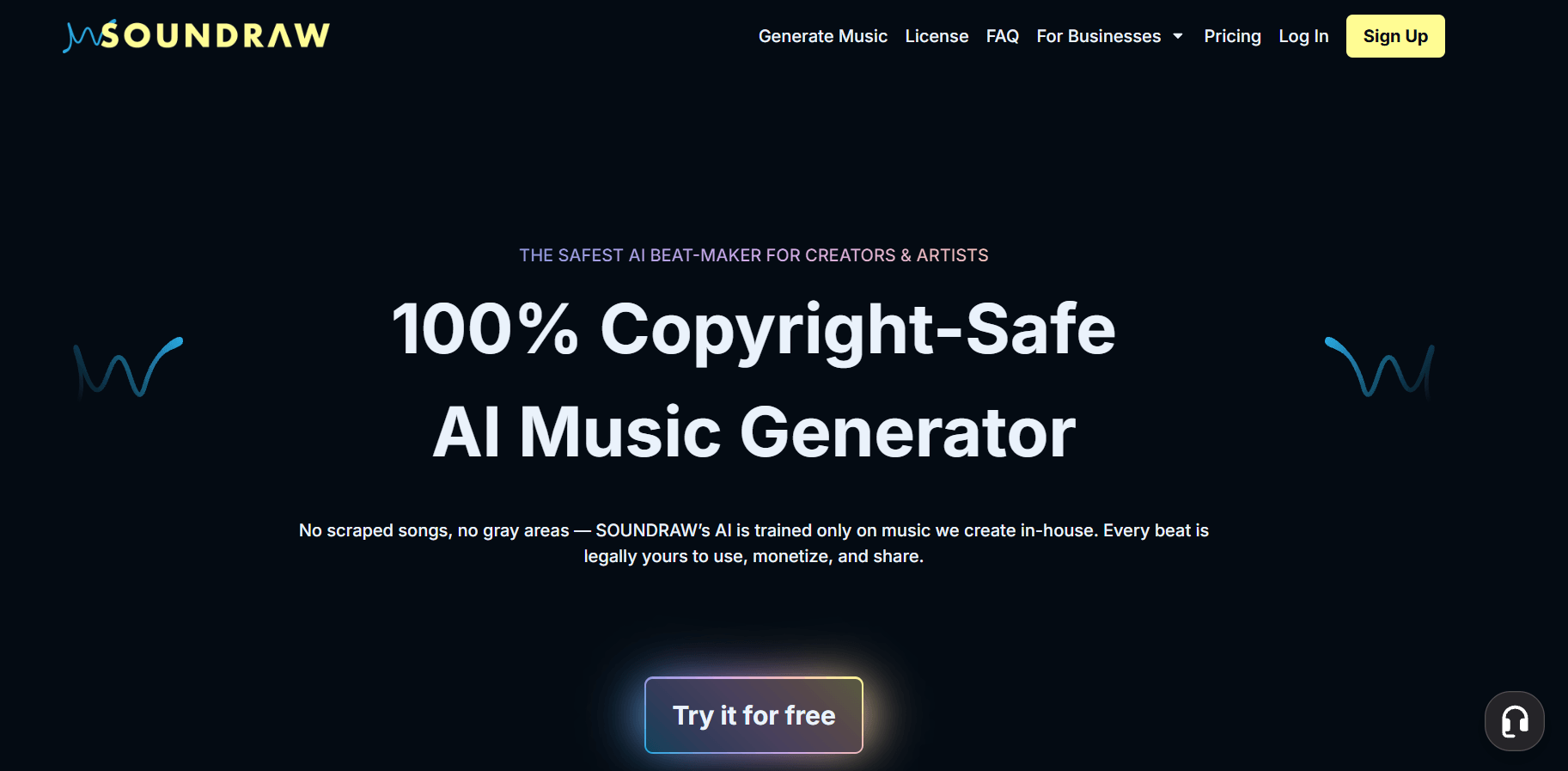
Soundraw is an AI music generator built for creators who need royalty-free instrumental music without spending hours searching through stock music libraries. The platform is also searched as Soundraw AI, soundraw.io, SOUNDRAW, and Soundraw AI music generator, especially by users who want quick background music for videos, podcasts, ads, games, and social content.
The biggest appeal of Soundraw is speed. Instead of starting from a blank DAW project, users choose a mood, genre, length, and energy level, then generate editable instrumental tracks. This makes it useful for creators who want usable background music quickly, even if they do not have music production skills.
However, Soundraw is not a full AI song generator in the same way as MusicSeed, Suno, or Udio. It does not focus on vocals, lyrics, or complete song creation from a prompt. This review looks at what Soundraw actually does, how good the output is, what real users say, how much it costs, and whether it is worth paying for in 2026.
Quick Overview of Soundraw AI (Key Insights)
Overview
Soundraw AI is best understood as an AI background music and instrumental track generator. It is strong for quick, royalty-free music creation for content projects, but it is less suitable for users who want vocals, lyrics, or complete AI songs.
Key Facts
- Type: AI music generator and royalty-free instrumental music tool
- Output: Instrumental tracks, background music, beats, MP3, WAV, and stems depending on plan
- Skill level: Beginner-friendly
- Main strength: Fast instrumental generation with simple editing controls
- Main limitation: No built-in lyric-to-song or vocal generation workflow
Pricing Snapshot
Soundraw is free to try, but downloading and using tracks seriously depends on paid plans. The visible pricing structure includes Creator, Artist Starter, Artist Pro, Artist Unlimited, and Enterprise options.
| Plan | Visible Monthly Price | Best For | Export Options |
|---|---|---|---|
| Creator | $16.99/mo | YouTubers, podcasters, marketers, content creators | MP3 |
| Artist Starter | $29.99/mo | Artists testing beats and instrumental ideas | MP3 |
| Artist Pro | $35.99/mo | Artists needing higher-quality exports and stems | MP3, WAV, stems |
| Artist Unlimited | $49.99/mo | Frequent creators and producers | MP3, WAV, stems |
| Enterprise | Custom | Companies, API users, business teams | Depends on agreement |
For most YouTubers, podcasters, marketers, and social media creators, the Creator plan is the most relevant starting point. For artists who want WAV files, stems, or release-ready workflows, Artist Pro or Artist Unlimited makes more sense. Casual users should test the free version first because Soundraw can feel expensive if you only need one or two tracks.
Soundraw Rating Summary
Overall Rating: ⭐⭐⭐⭐☆ (4.3/5)
- Best for: YouTubers, video editors, podcasters, marketers, social media creators, small businesses, and content teams needing royalty-free background music
- Main Strength: Fast music generation, easy editing, and practical commercial-use options
- Main Limitation: Limited creative control for users who want vocals, lyrics, detailed prompts, or full song production
Soundraw earns a strong score for speed and ease of use. It does one thing clearly: helping creators generate instrumental background music without music production skills. The workflow is simple, the output is usually clean enough for content, and the editing tools are more flexible than using a fixed stock music file.
The main weakness is expectation mismatch. If you expect Soundraw AI to create a complete song with vocals, lyrics, hooks, and deep arrangement control, it may disappoint you. If you only need background music for content, it is much easier to recommend.
What Real Soundraw Users Say
User feedback on Soundraw is mixed. Positive users often say the tool is easy to use, fast, and helpful for videos, presentations, and content projects. Negative users often mention subscription issues, limited control, billing concerns, customer support frustration, or copyright-related confusion.
What Users Like
Many users like that Soundraw removes the blank-page problem. You do not need to compose melodies, arrange drums, mix instruments, or learn a DAW. You choose a direction, generate options, edit the structure, and download a track.
This makes Soundraw especially helpful for creators who need music as supporting audio rather than the main creative product. For example, a YouTuber may need background music under a tutorial. A marketer may need a short instrumental track for a product ad. A company may need music for a presentation. In these cases, Soundraw can save time compared with searching stock libraries.
Users also appreciate the simple editing workflow. Being able to adjust length, energy, and sections makes Soundraw more flexible than downloading a fixed royalty-free track. For content creators, that level of control is often enough.
Common Complaints
The most common complaints are not about whether Soundraw is easy to use. They are about whether the tool gives enough control, whether the subscription is worth it, and whether the licensing experience feels clear enough.
Some users say the music can feel repetitive after multiple generations. Others say Soundraw does not follow detailed creative ideas because it relies more on selected settings than open-ended prompting. This matters if you want a specific song structure, emotional arc, melody, drop, or artist-style direction.
There are also complaints around billing, cancellation, refunds, and support. For any paid AI music tool, this is worth noting before subscribing. Users should review the plan, renewal terms, cancellation process, and license rules before paying.
Another important point is YouTube Content ID. SOUNDRAW says its music is registered with YouTube Content ID to prevent unauthorized use. Licensed users can dispute claims by providing subscription details, but creators should still keep proof of their active subscription, download history, and license status.
Overall, Soundraw works best for users who need quick background music. It may disappoint users expecting a full AI songwriting tool with detailed prompt control, vocals, lyrics, and highly original song results.
What This Soundraw AI Music Generator Actually Does
Soundraw generates royalty-free instrumental music from selected settings such as genre, mood, length, and energy, then lets users edit the arrangement before downloading the track.
In practical terms, Soundraw is closer to a custom stock music generator than a full AI song maker. It helps users create background music, beats, intro tracks, ad music, podcast music, game loops, and social content soundtracks.
This distinction is important. Soundraw is useful when you need instrumental music that supports a video, podcast, brand campaign, or presentation. It is less useful when you want to type lyrics and generate a complete song with vocals. For that, tools like MusicSeed, Suno, or Udio are more suitable.
Real Workflow Test
Test Scenario
For this review, the test scenario is simple: create a 60-second upbeat background track for a product video. The goal is not to make a finished pop song. The goal is to generate clean, usable instrumental music that can sit behind product shots, text overlays, motion graphics, and voiceover.
This is a realistic Soundraw use case because most users come to the platform for content music, not full music production.
Generation Process
The process starts by choosing the music direction. You select a genre, mood, tempo, length, and energy level. Soundraw then generates multiple track options. After previewing the results, you can open one track in the editor and adjust the arrangement.
The workflow is fast. You can usually get several usable options quickly, but finding a track that feels less generic may take several rounds. This is normal for AI background music tools. The first result may be usable, but the best result usually comes after testing different moods, genres, and energy settings.
The editor is easier than a DAW. You can shape the track, change the structure, and adjust intensity without arranging instruments manually. However, the editing is still preset-based. You can guide the track, but you cannot control every melody, chord, drum pattern, or transition in the way a producer can inside a DAW.
Output Quality
The output quality is generally strong for background use. Tracks are clean, structured, and easy to place under video content. Soundraw works especially well for corporate music, lifestyle videos, lo-fi backgrounds, electronic tracks, podcast intros, hip-hop beats, product ads, and short social clips.
For voiceover-based content, the music usually works well because it does not fight too much with speech. For visual ads, product demos, and simple content edits, the results can sound polished enough to use directly.
The weakness is originality. If you need a memorable hook, emotional vocal performance, complex arrangement, or highly specific artistic identity, Soundraw may feel too safe. The output is useful, but not always distinctive. For background music, that may be acceptable. For serious songwriting, it may not be enough.
Example Result
A typical result might be a 60-second upbeat electronic track with a short intro, steady rhythm, light melody, and clean ending. It would work well under a product demo or brand video because it supports the visuals without distracting from the message.
If the same test were for a singer-songwriter demo, the result would be less satisfying. Soundraw can provide an instrumental direction, but it does not create the kind of vocal hook, lyric phrasing, or song identity that a full AI song generator is built for.
Summary
Compared to tools like MusicSeed, Suno, Udio, Loudly, and Mubert, Soundraw is more focused on editable instrumental background music. It is faster than manual production, more flexible than a stock music library, but less complete than AI tools that generate full songs with vocals and lyrics.
Pros and Cons
Pros
- Easy for beginners
- Fast AI music generation
- Useful for videos, podcasts, ads, games, and social media
- Good for royalty-free background music
- Simple editing for length, energy, and arrangement
- MP3 downloads on entry paid plans
- WAV and stems available on higher artist plans
- Commercial-use options
- Strong fit for content creators and small teams
- Easier than starting from a DAW
Cons
- No built-in AI vocal generation
- No direct lyrics-to-song workflow
- Not ideal for complete songwriting
- Output can feel repetitive after many generations
- Prompt-level control is limited
- Advanced production control is weaker than a DAW
- Some users complain about billing, cancellation, and support
- Stems require higher-tier plans
- Users should keep license proof for YouTube and commercial projects
- Not ideal for users who only need one track
Soundraw is a practical AI music tool for users who need instrumental music quickly. It is not the best choice for users who want full AI songs, vocals, lyrics, or deep creative control.
Compare Soundraw to Other AI Music Tools
Soundraw should be compared by use case, not only by features. Different AI music platforms solve different problems.
Soundraw is strongest for background music. MusicSeed is better for broader AI music creation workflows, including text-to-music and lyrics-to-music. Suno and Udio are stronger for complete AI songs with vocals. Mubert is useful for loops and functional background audio. AIVA is better for structured instrumental composition. Beatoven.ai is a close alternative for video-focused background music.
| Tool | Best For | Main Advantage | Main Limitation |
| Soundraw | Background music and beats | Fast editable instrumental tracks | No built-in vocals or lyrics |
| MusicSeed | AI song drafts and creative music generation | Broader song creation workflow | Final results still need review |
| Suno | Complete AI songs | Vocals and lyrics generation | Less detailed arrangement control |
| Udio | Song-style AI music | Strong creative song output | Requires more iteration |
| Mubert | Loops and functional background audio | Good for streams, apps, and ambient use | Less song-like structure |
| AIVA | Instrumental composition | Good for cinematic and classical ideas | Less casual for beginners |
| Beatoven.ai | Video background music | Content-first workflow | Less suitable for full songs |
| Loudly | Quick AI music ideas | Social-friendly generation | Output quality may vary |
| Boomy | Fast song creation | Beginner-friendly creation flow | Licensing and quality need review |
| Kits AI | AI vocals and voice conversion | Strong vocal workflow | Not a direct background music generator |
The decision is clear. Choose Soundraw if your main goal is background music. Choose MusicSeed, Suno, or Udio if you want a more complete AI song. Choose Mubert or Beatoven.ai if you need functional content audio. Choose Kits AI if your main need is vocal production.
Soundraw Alternatives
Soundraw is useful, but it is not always the best fit. The right alternative depends on whether you need full songs, vocals, background tracks, stems, beat ideas, or commercial content music.
MusicSeed
MusicSeed is the best overall alternative if you want a broader AI music creation workflow. Compared with Soundraw, MusicSeed is better suited for users who want to turn prompts, lyrics, styles, or song ideas into AI music drafts.
MusicSeed is a stronger choice if your goal is not only background music but also creative song ideation. It fits users who want more flexibility around text-to-music, lyrics-to-music, and song-style generation.
Suno
Suno is one of the strongest alternatives for complete AI songs. It can generate music with vocals and lyrics, which makes it more suitable for users who want song-like results instead of instrumental background music.
Choose Suno if your priority is complete AI songs. Choose Soundraw if your priority is editable royalty-free background music.
Udio
Udio is another strong AI song generator. It is useful for creative vocal tracks, genre experiments, and full song ideas. Compared with Soundraw, Udio feels more like a creative songwriting tool.
Choose Udio if you want expressive AI songs. Choose Soundraw if you want simpler instrumental music for content.
Mubert
Mubert is useful for background loops, streaming audio, apps, and functional music. It is a good alternative if you need continuous background audio rather than structured music tracks.
Mubert is especially relevant for creators who need ambience, loops, or scalable background music.
AIVA
AIVA is better for users who need instrumental composition, cinematic music, classical-style ideas, or more structured music concepts. It may feel more professional but less casual than Soundraw.
Choose AIVA if you want composition-focused instrumental music. Choose Soundraw if you want a faster and simpler content workflow.
Beatoven.ai
Beatoven.ai is one of the closest Soundraw alternatives for video background music. It is designed for creators who need mood-based music for videos, podcasts, and content projects.
Choose Beatoven.ai if your workflow is strongly video-first and you want another option for content music.
Loudly
Loudly offers AI music generation and remix-style workflows. It can be a good option for users who want quick music ideas, social content audio, and simple AI-generated tracks.
Choose Loudly if you want fast music ideas and social-friendly content. Choose Soundraw if you prefer a cleaner background music workflow.
Boomy
Boomy is focused on quick song creation and publishing-style workflows. It may appeal to beginners who want to create songs quickly, but users should compare output quality and licensing before choosing it.
Boomy is more song-oriented than Soundraw, but Soundraw is stronger for practical background music use.
Kits AI
Kits AI is not a direct Soundraw replacement because it focuses more on AI vocals, voice conversion, voice cloning, and vocal production. It works better as a companion tool if you already have instrumental music and want to experiment with vocals.
Choose Kits AI if your main need is voice or vocal workflow. Choose Soundraw if your main need is instrumental background music.
LALAL.AI
LALAL.AI is not an AI music generator in the same category. It is better for stem separation, vocal removal, and audio splitting. It is useful when you need to separate existing audio rather than generate new music.
Choose LALAL.AI for splitting audio. Choose Soundraw for generating new instrumental tracks.
Final Verdict
- Best overall alternative: MusicSeed
- Best for beginners: Soundraw or MusicSeed
- Best for professionals: AIVA, Kits AI, or a DAW workflow with stems
- Best for full AI songs: MusicSeed, Suno, or Udio
- Best for background music: Soundraw, Mubert, or Beatoven.ai
- Best for vocal workflows: Kits AI
- Best for stem separation: LALAL.AI
If you only need editable instrumental background music, Soundraw is a strong choice. If you want a more complete AI music creation workflow, MusicSeed is the better alternative to compare first.
Rating Breakdown
Soundraw vs Other AI Music Tools
Soundraw scores well for usability, speed, and background music generation. It loses points for vocal support, lyric workflows, detailed prompt control, and mixed user feedback around subscription and support.
| Category | Rating | Review |
| Ease of Use | 4.7/5 | Simple enough for beginners and non-musicians |
| Output Quality | 4.2/5 | Good for background tracks, less unique for full songs |
| Editing Control | 4.1/5 | Useful in-app editing, but not DAW-level |
| Pricing Value | 4.0/5 | Good for frequent creators, less ideal for casual users |
| Licensing Clarity | 4.0/5 | Useful commercial options, but users should read plan terms carefully |
| Export Options | 4.1/5 | MP3 on lower plans, WAV and stems on higher artist plans |
| Vocal and Lyric Support | 2.0/5 | Not built for AI vocals or lyrics-to-song generation |
| User Feedback | 3.2/5 | Positive usability notes, but notable billing and support complaints |
| Overall | 4.3/5 | Strong for background music, limited for full song creation |
Key Evaluation Breakdown
Quick pick: Use Soundraw if you need background music quickly and want simple editing without opening a DAW.
Soundraw is not trying to be every type of AI music tool. Its value comes from speed, royalty-free music access, and simple instrumental editing. For background music, that is enough. For songwriting, vocal demos, lyric-based creation, or advanced arrangement work, users will likely need another tool.
Before paying for Soundraw, users should check five things:
- Test the free version first.
- Decide whether MP3 is enough or whether WAV/stems are necessary.
- Choose Creator if you mainly need content background music.
- Choose Artist plans if you want to build songs around Soundraw beats.
- Keep license proof for YouTube, client work, and commercial projects.
The biggest insight is that Soundraw should be judged as a content music tool, not an all-in-one AI music studio.
Use Cases
Case 1: YouTube Background Music
Soundraw can help YouTubers create background music for tutorials, reviews, vlogs, explainers, product videos, and sponsored content. The ability to adjust length and energy makes it easier to match music with video pacing.
Example: A creator making a three-minute product review can generate a clean technology-style background track, reduce intensity during voiceover sections, and export it for editing.
Case 2: Social Media Clips
For TikTok, Instagram Reels, YouTube Shorts, and short ads, Soundraw can generate quick music beds that match a mood or campaign style.
Example: A brand can create upbeat music for a 20-second product clip and test calm, energetic, and emotional versions of the same idea.
Case 3: Podcast Intros and Transitions
Podcasters can use Soundraw for intro music, outro music, transitions, and background beds. Since the music is instrumental, it usually does not compete with speech.
Example: A business podcast can create a short confident intro and a softer track for sponsor sections.
Case 4: Presentations and Corporate Videos
Soundraw works well for company presentations, internal training videos, pitch decks, and product demos. It helps teams avoid spending too much time on music sourcing.
Example: A startup can generate a calm but modern track for a product walkthrough video.
Case 5: Game and App Background Music
Indie developers can use Soundraw for prototype audio, game menus, simple loops, and app background music. It may not replace a composer, but it can help in early production.
Example: A mobile game team can generate several mood-based tracks for different test levels.
Case 6: Marketing and Ad Drafts
Agencies and marketers can use Soundraw to test music direction for campaigns. It is useful when a team needs draft-ready music before final production.
Example: A marketing team can compare energetic, emotional, and minimal background tracks before choosing the direction for an ad.
Case 7: Beat Ideas for Artists
Artists can use Soundraw to test beat ideas, especially on Artist plans that support WAV or stems. This is more useful for rough production direction than for final songwriting.
Example: A rapper can generate several instrumental ideas, export stems on a higher plan, and build a vocal demo around the best version.
Who It's For
Best for
- YouTubers who need royalty-free background music
- Video editors who want fast music options
- Podcasters who need intro and transition music
- Marketers creating ads, demos, and brand videos
- Social media creators testing different music moods
- Small businesses that need commercial music
- Beginners who do not use DAWs
- Teams that need quick instrumental drafts
- Artists who want beat ideas and can work with stems on higher plans
Not Ideal for
- Users who want AI vocals
- Users who want lyrics-to-song generation
- Producers who need deep arrangement control
- Musicians who want highly original full songs
- Creators who need detailed prompt-based direction
- Casual users who only need one or two tracks
- Users who do not want a subscription
- Anyone unwilling to read license terms before commercial use
- Users expecting Soundraw to replace a full DAW or producer
Soundraw is best for practical creators. It is a strong choice when the goal is usable instrumental music, but it is not the right tool for every AI music workflow.
How to Use Soundraw AI
Using Soundraw AI is straightforward. The workflow is built for users who want music quickly without learning production software.
Step 1: Choose a Music Direction
Start by choosing the genre, mood, length, tempo, or style. For example, you might choose lo-fi music for a study video, upbeat electronic music for a product ad, or calm acoustic music for a podcast intro.
This step matters because Soundraw works better when your direction is clear. If the result feels too generic, change the mood, energy, or genre and generate again.
Step 2: Generate Track Options
After choosing your direction, generate several tracks. Do not judge Soundraw from only one result. The tool works better when you compare multiple drafts and choose the one closest to your project.
For real use, it is better to generate a small batch, shortlist two or three options, and then edit the best one.
Step 3: Edit the Arrangement
Open the editor and adjust the track. You can change length, energy, instruments, and sections. For video projects, try matching the music changes to scene transitions, product reveals, or voiceover structure.
The editing experience is beginner-friendly, but it is not the same as full DAW control. You can shape the track, not rebuild every musical detail from zero.
Step 4: Preview With Your Content
Before downloading, test the track with your actual project. If it will sit under voiceover, make sure it does not sound too busy. If it supports a product video, check whether the mood matches the brand.
This step helps avoid one common problem: music that sounds good alone but does not work inside the final video.
Step 5: Download the Right Format
Choose the export format supported by your plan. MP3 may be enough for social content, podcasts, and basic videos. WAV and stems are better for professional editing, mixing, and artist workflows.
If you want stems, check the plan carefully before subscribing because lower plans may not include them.
Step 6: Check the License Before Publishing
Before publishing or monetizing, review the license details for your plan. This is especially important if you plan to use Soundraw music for YouTube monetization, client work, ads, games, streaming releases, or commercial projects.
You should also keep proof of your subscription and download history. This is useful if you ever need to respond to a copyright or Content ID claim.
In real use, Soundraw feels fast and beginner-friendly. The editor is helpful, but users with advanced production needs may still prefer exporting stems and finishing the track in a DAW.
Conclusion
Soundraw is a solid AI music generator for creators who need fast, editable, royalty-free instrumental tracks. It works well for videos, podcasts, ads, presentations, social clips, product demos, games, and other content-focused projects.
Its biggest weakness is that it is not a full AI song generator. If you want vocals, lyrics, hooks, or complete songs from prompts, Soundraw may feel limited. Pricing also matters. The Creator plan is useful for content background music, while Artist Pro or Artist Unlimited is more relevant if you need WAV and stems.
Soundraw is good for background music, but not ideal for full AI songs. If that matches your use case, it is worth testing. If you need a broader AI music workflow, MusicSeed is the best overall alternative to compare first.
Final verdict: Soundraw is worth trying if you create content often and need instrumental music regularly. It is less ideal if you only need one track, want deep prompt control, or expect complete songs with vocals and lyrics.