Introduction
If you are looking for a VocalRemover.org review, you probably want a simple answer: can this AI vocal remover really separate vocals and instrumentals well enough for karaoke, vocal practice, remixing, or content creation?
The short answer is: yes, for many casual uses. VocalRemover.org works well when you need a fast online vocal remover to remove vocals from a song, create an instrumental version, or extract an a cappella track without installing software, opening a DAW, or adjusting technical audio settings. Still, the final result depends heavily on the quality of the original audio, the mix, the amount of reverb, backing vocals, and the complexity of the instruments.
This review looks at VocalRemover.org from a practical user perspective. Instead of only listing features, we evaluate how the workflow feels, where the results are usually useful, where this vocal and instrumental separator may fall short, and when alternatives like MusicSeed, LALAL.AI, or Moises may make more sense.
Quick Verdict
| Decision Point | Quick Answer |
|---|---|
| Is it worth using? | Yes, for karaoke, practice, simple demos, and casual use |
| Best for | Quickly separating vocals and instrumentals |
| Not ideal for | Professional stems, dense mixes, or advanced audio restoration |
| Main strength | Simple, online, beginner-friendly workflow |
| Main limitation | Limited control over fine cleanup and multi-stem separation |
| Best all-in-one alternative | MusicSeed, if you also want to create music after separating audio |
| Overall rating | ⭐⭐⭐⭐☆ 4.3/5 |
VocalRemover.org is strongest when speed matters most. It does not try to be a complete music production suite, but it handles one specific task well: turning a mixed song into two main outputs, an instrumental version and an isolated vocal version.
For users who only need a free online vocal remover for simple karaoke tracks, the workflow is easy enough to understand in minutes. For singers, karaoke creators, beginners, and editors who need a quick file, that may already be enough. For producers who need drums, bass, guitar, piano, lead vocals, and backing vocals separated into individual stems, a more advanced stem splitter or audio separation tool may be a better choice.
Quick Overview
VocalRemover.org is an online AI audio separation tool. Its main focus is splitting a finished song into two parts: vocals and instrumental. In practice, users upload a track, wait for processing, and receive a karaoke version without the lead vocal plus an a cappella version with the isolated vocal.
| Item | Details |
|---|---|
| Type | AI vocal remover and instrumental extractor |
| Main output | Isolated vocal and instrumental or karaoke version |
| Skill level | Beginner-friendly |
| Workflow | Upload, automatic processing, and download |
| Main strength | Simplicity and speed |
| Main limitation | Quality varies depending on the original mix |
| Best use | Karaoke, vocal practice, demos, early remixes, and social content |
| Not ideal for | Professional stem separation or complex audio restoration |
VocalRemover.org works best when the lead vocal is clear, centered, and not buried too deeply under the instruments. Pop tracks, rap songs, and songs with drier vocals tend to produce better results. Live recordings, heavy rock, metal, layered harmonies, heavy reverb, and low-quality MP3 files may create more artifacts.
How We Tested VocalRemover.org
This VocalRemover.org review focuses on real-world use, not just the feature list. The main question is not whether the tool delivers perfect stems for every song, because no AI vocal remover can guarantee that in every case. The more useful question is: does it deliver a usable result faster than manual editing?
To answer that, we considered the criteria below:
| Evaluation Criteria | What We Looked At |
|---|---|
| Instrumental clarity | Whether the lead vocal was actually reduced |
| Isolated vocal quality | Whether the vocal keeps the melody without too much instrumental bleed |
| Artifacts | Whether voice remnants, metallic sounds, cut-off reverb, or strange noise appear |
| Ease of use | Whether a beginner can use it without a DAW, plugin, or manual editing |
| Speed | Whether the workflow is fast enough for everyday use |
| Control | Whether users can adjust stems, format, or cleanup |
| Use cases | Whether it works for karaoke, practice, remixing, social content, and demos |
| Comparison | How it compares with MusicSeed, LALAL.AI, Moises, and professional tools |
The final rating mainly considers casual users, creators, singers, and beginners. For professional audio production standards, the requirements would be higher, because source separation from an already mixed song has technical limits.
Rating Summary
Overall rating: ⭐⭐⭐⭐☆ 4.3/5
Best for: beginners, karaoke creators, singers, casual remixers, music students, and content creators.
Main strength: removing vocals and generating an instrumental quickly, without technical setup.
Main limitation: less control compared with advanced stem splitters or professional audio software.
| Category | Rating | Notes |
|---|---|---|
| Ease of use | 4.6/5 | Very simple and beginner-friendly |
| Speed | 4.5/5 | Fast enough for common tasks |
| Vocal removal quality | 4.2/5 | Good on clean mixes, less stable on dense tracks |
| Instrumental clarity | 4.1/5 | Useful for karaoke and practice |
| Isolated vocal quality | 4.0/5 | Good as a reference, but may contain bleed |
| Customization | 3.6/5 | Limited for advanced users |
| Multi-stem depth | 3.7/5 | Better for two-stem separation than detailed stem work |
| Value for creators | 4.3/5 | Strong when speed is the priority |
| Overall rating | 4.3/5 | Best for simple vocal and instrumental separation |
The key point is that VocalRemover.org is a convenience tool. It works best when you want a fast and acceptable result, not when you need perfectly clean stems for advanced commercial production.
What Does VocalRemover.org Do?
VocalRemover.org uses AI source separation to analyze a mixed song and try to separate the vocal layer from the instrumental layer. After processing, users typically receive two versions:
an instrumental track, useful for karaoke, practice, or background music;
an isolated vocal track, useful for study, reference, remixing, or creative editing.
This type of technology is useful because a finished song usually does not come with the separated files from the original session. When you only have a final MP3 or WAV file, AI tries to reconstruct the audio parts based on vocal patterns, frequencies, timbre, and stereo placement.
In practice, this means the tool can deliver a very useful result, but it is not magic. If the vocal is blended with reverb, backing vocals, distorted guitars, synthesizers, or background noise, some elements may remain in the instrumental or bleed into the isolated vocal.
How to Use This Tool to Remove Vocals
The VocalRemover.org workflow is straightforward and designed for people without music production experience.
Step 1: Upload the Song
The first step is choosing the audio file you want to process. For better results, use the highest-quality version available. WAV files or high-quality MP3 files tend to work better than heavily compressed files, screen recordings, or audio downloaded from poor sources.
Avoid judging the tool based on only one very difficult song. A live track with crowd noise, room sound, heavy reverb, and overlapping instruments will probably perform worse than a studio pop track with a centered vocal.
Step 2: Wait for AI Separation
After upload, the AI analyzes the song and separates the audio into vocal and instrumental. The experience is simple: you do not need to choose a model, adjust EQ, configure phase cancellation, or understand spectral editing.
This is one of VocalRemover.org’s main strengths as an online vocal remover. It works as an “upload, process, and download” tool, which fits users who simply want to create a karaoke backing track or test an idea quickly.
Step 3: Listen to the Instrumental and Isolated Vocal
Before downloading and using the file, it is worth listening to both outputs. In the instrumental, check whether any lead vocal remains, especially in the chorus, long notes, and parts with reverb. In the isolated vocal, listen for drum, synth, cymbal, guitar, or room ambience bleed.
This test matters because vocal removal quality can change a lot from one song to another.
Step 4: Download the Right Version for Your Use
If you want to sing over the music, download the instrumental or karaoke version. If you want to study the melody, create a remix idea, or analyze the vocal performance, download the isolated vocal. For practice, songwriting, or editing, it can be useful to keep both versions.
Step 5: Use Another Tool If You Need More Control
If the result is good enough for karaoke, practice, or reference, VocalRemover.org probably meets your goal. But if you need to separate drums, bass, guitar, piano, backing vocals, or other elements, it is worth testing a multi-stem tool.
In that case, MusicSeed may be more interesting for users who want to continue an AI music creation workflow after audio separation. LALAL.AI may make sense for users looking for more detailed stem extraction. Moises is more suitable for musicians who want to practice with tempo, key, chords, and rehearsal tools.
Real-World Use Test
To imagine a realistic test, think of a three-minute pop song with a centered lead vocal, drums, bass, synth pads, light reverb, and harmonies in the chorus. This is the kind of track many users would upload to create a karaoke version, practice vocals, or test a remix.
In this scenario, VocalRemover.org tends to work well across most of the song. The lead vocal is usually reduced noticeably, and the instrumental remains usable for singing or practice. However, sections with backing vocals, doubled harmonies, or more obvious reverb may leave vocal traces in the instrumental.
The isolated vocal can also be useful, especially for studying melody, phrasing, and dynamics. Still, it may carry small amounts of cymbal, synth, or reverb-tail bleed. This is common with AI vocal removers because the tool is trying to separate elements that have already been mixed into a single stereo file.
For casual use, the result is often enough. For a professional release, commercial remix, or high-quality sampling, the file would likely need post-processing or a more advanced audio separation tool.
What Affects Vocal Removal Quality?
AI vocal removal quality depends more on the original song than many users expect. Two tracks processed with the same tool can produce very different results.
| Audio Type | Expected Result | Why It Matters |
|---|---|---|
| Clean pop track | Usually good | The lead vocal is often centered and clear |
| Rap or hip-hop | Usually good | Drier vocals and defined beats help separation |
| Acoustic music | Variable | Voice and guitar may share similar frequencies |
| Rock or metal | More difficult | Dense guitars and vocals can blend together |
| Live recording | Less reliable | Crowd noise, room sound, and reverb make separation harder |
| Low-quality MP3 | Less clean | Compression can create artifacts after separation |
| Music with backing vocals | Variable | Harmonies may remain in the instrumental or bleed into the vocal |
For better results, use the cleanest file possible, avoid noisy recordings, and test more than one song before deciding whether the tool is good or bad. With AI audio separation, the input material makes a major difference.
User Feedback
Like most AI vocal removers, VocalRemover.org usually receives mixed reactions depending on user expectations. People looking for a quick solution for karaoke or practice tend to value its simplicity. People expecting perfect stems for professional production may notice more limitations.
What Users Usually Like
The most praised point is ease of use. Users do not need to learn audio editing, install a DAW, or understand technical concepts like EQ, phase, spectral reduction, or multi-stem separation. They can upload a song, wait for AI processing, and download the files.
In typical creator and singer use cases, the most common praise is not about technical control. It is about getting a usable backing track in just a few steps. For users who only need an instrumental version to sing, study, or test an idea, this simple workflow solves much of the problem.
Speed also works in its favor. For people who want to test a cover idea, create a quick karaoke backing track, or hear a song without the lead vocal, VocalRemover.org saves time compared with manual attempts.
Another positive point is the clarity of the workflow. Instead of offering too many technical options, it delivers easy-to-understand outputs: vocal and instrumental.
Common Complaints
Criticism usually appears when users expect perfect separation. In complex songs, the instrumental may keep vocal traces, especially in choruses, harmonies, long notes, and parts with heavy reverb. The isolated vocal may also contain instrument bleed, especially cymbals, synthesizers, guitars, or background noise.
Another limitation is the lack of advanced control. Users who want to separate drums, bass, piano, guitar, or backing vocals may find VocalRemover.org too simple.
Our Take
The feedback matches the tool’s positioning. VocalRemover.org is good for speed and simplicity. It should not be presented as a professional solution for clean stems on every song, but as a useful online vocal remover for quick and accessible tasks.
VocalRemover.org Pricing - Is It Free or Paid?
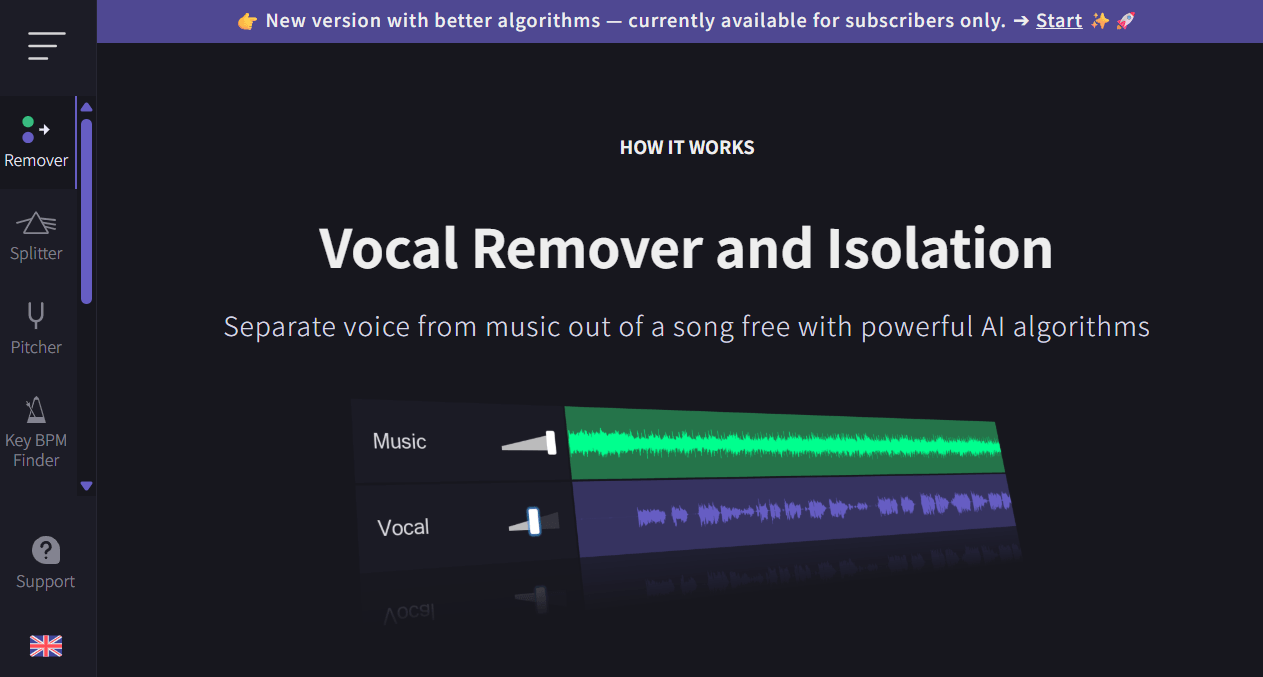
VocalRemover.org presents itself as a free online vocal remover for removing vocals and creating karaoke versions. Its main page states that after choosing a song, AI separates vocals and instrumental and delivers two tracks: a karaoke version without vocals and an a cappella version with isolated vocals.
Even so, users who plan to process many tracks should check the official page and any updated limits before relying on the tool as part of a regular workflow. With online audio tools, terms of use, queues, file limits, and available features may change over time.
| Pricing Point | What to Consider |
|---|---|
| Free use | Good for testing and occasional use |
| Processing limits | Check whether there are time, file, or queue limits |
| File size | May affect users working with long songs |
| Speed | Free queues may be slower on some services |
| Export | Check whether vocal and instrumental files can be downloaded |
| Commercial use | Depends on the rights of the original song |
| Paid alternatives | May offer more stems, more control, and advanced export |
By comparison, LALAL.AI offers a Starter plan and paid plans such as Lite and Pro. MusicSeed lets users start with vocal removal, stem separation, and AI music creation tools in one platform. Moises offers plans designed for musicians who need practice, rehearsal, and music editing features.
For casual use, VocalRemover.org may be enough. For frequent use, scaled content production, or multi-stem separation, it is worth comparing pricing, limits, and features before choosing. Because limits, queues, and terms of use may change over time, it is best to check the official page before using VocalRemover.org in a professional or recurring workflow.
Safety, Privacy, and Copyright
Before using any AI vocal remover, it is important to separate two things: the technical ability to remove vocals and the right to use the result.
VocalRemover.org can help create instrumental versions or isolated vocals, but that does not automatically change the copyright status of the original song. If you process a protected track, you still need to follow copyright rules, licensing requirements, and the policies of the platform where you plan to publish.
For vocal practice, personal study, karaoke practice, or private tests, the risk is usually lower. For YouTube, TikTok, Reels, ads, commercial remixes, samples, or public releases, it is better to confirm that you have permission to use the song or the derived stems.
It is also worth checking the privacy policy before uploading sensitive audio, unreleased demos, or material that should not be shared with third parties.
Pros and Cons
| Pros | Cons |
|---|---|
| Easy for beginners | Limited advanced controls |
| Fast online workflow | Quality depends on the original audio |
| Good for karaoke and practice | May leave artifacts in dense mixes |
| No DAW required | Not ideal for professional stem editing or mixing |
| Generates vocal and instrumental versions | Less flexible than multi-stem tools |
| Useful for quick tests | May struggle with live recordings or heavy reverb |
VocalRemover.org is strongest when speed matters more than perfect control. It should be used as a quick vocal and instrumental separation tool, not as a complete music production suite.
VocalRemover.org vs MusicSeed, LALAL.AI, and Moises
The best tool depends on the workflow. Some people only want to create a karaoke track. Others want to separate multiple stems, practice music, create remixes, or continue producing new ideas with AI.
| Tool | Best For | Main Difference | Choose It If |
|---|---|---|---|
| VocalRemover.org | Fast vocal and instrumental separation | Simple workflow for karaoke and a cappella | You need a quick and easy result |
| MusicSeed | AI music creation and stem separation | Combines vocal remover, stem splitter, and music creation | You want to separate audio and keep creating music |
| LALAL.AI | Detailed stem separation | Focuses on vocals, instruments, drums, bass, and more | You need more stem options |
| Moises | Music practice and rehearsal | Offers musician-focused tools such as key, tempo, and chords | You sing, play, or study music often |
| SpectraLayers | Professional spectral editing | Advanced repair and cleanup control | You work with audio post-production |
| Logic Pro | DAW-based production | Separation integrated into a production workflow | You already produce music on Mac |
VocalRemover.org is a good lightweight option. MusicSeed is more interesting when vocal removal is only one step in a larger AI music creation process. LALAL.AI works better for users who need more specific stems. Moises is more suitable for musicians who use audio separation as part of study and practice.
Best VocalRemover.org Alternatives
1. MusicSeed
MusicSeed is worth considering if you want more than basic vocal removal. In addition to removing vocals, the platform also offers stem separation and AI music creation features, helping creators turn an idea, vocal, instrumental, or reference into new music drafts.
Why consider MusicSeed:
- separates vocals and instrumentals;
- offers AI stem separation;
- supports remix, editing, and creation workflows;
- useful for content creators and beginner producers;
- better when you want to keep creating after separation.
MusicSeed is not necessary if you only want a quick karaoke track. But if vocal removal is part of a larger creation workflow, especially when you also need to generate new music ideas after separating audio, it can offer more possibilities.
2. LALAL.AI
LALAL.AI is more focused on detailed stem separation. Instead of working only with vocals and instrumentals, it offers options for users who need to isolate specific instruments.
Why consider LALAL.AI:
- separates vocals and instrumentals;
- offers more detailed stem options;
- suitable for DJs, remixers, editors, and producers;
- provides free and paid plans;
- better for users who want more control over individual song elements.
LALAL.AI may be a better fit than VocalRemover.org when you need more than a basic two-track split.
3. Moises
Moises is a strong alternative for musicians, singers, and students who use audio separation as part of practice. Its advantage is not only vocal removal, but also tools that support music learning.
Why consider Moises:
- separates vocals and instruments;
- supports key and speed adjustment;
- offers practice tools for musicians;
- includes rehearsal-focused features;
- useful for singers, guitarists, pianists, and teachers.
Moises makes more sense if you want to sing, play, study chords, or rehearse with backing tracks. For quick content creation, it may be more complete than necessary.
4. SpectraLayers
SpectraLayers is a professional alternative for users who need spectral editing, restoration, and audio cleanup. It is not just a simple vocal remover, but a more technical environment for users who want detailed control.
Why consider SpectraLayers:
- advanced spectral editing;
- audio separation and repair features;
- more control over noise and artifacts;
- suitable for post-production;
- better for experienced users.
For beginners, it may be too complex. For audio professionals, it offers much more control than a simple online vocal remover.
5. Logic Pro
Logic Pro is a better alternative for users who already work in a DAW and want to use stem separation inside a full music production project. Instead of removing vocals in a browser and then importing files, producers can keep editing, mixing, and arranging in the same environment.
Why consider Logic Pro:
- integrated into a complete production workflow;
- useful for editing, mixing, and arrangement;
- good for producers who already use Mac;
- allows more detailed post-processing;
- more suitable for music production than casual use.
Logic Pro is not the simplest choice for users who only want a karaoke backing track, but it may be better for producers who need control inside a DAW.
Recommendations by Use Case
| Need | Suggested Tool | Reason |
|---|---|---|
| Create quick karaoke | VocalRemover.org | Simple, direct, and beginner-friendly |
| Extract vocals for remix testing | VocalRemover.org or MusicSeed | Good for drafts and early ideas |
| Separate multiple stems | MusicSeed or LALAL.AI | More flexible for editing and production |
| Practice singing or an instrument | Moises | More focused on music learning |
| Professional production | Logic Pro or SpectraLayers | More control for editing and post-production |
| Create music after separation | MusicSeed | Combines separation with AI music creation |
This table helps avoid a generic conclusion. VocalRemover.org is good for quick separation, but it does not need to be the best choice for every workflow.
Use Cases
| Use Case | How It Helps | Limitation |
|---|---|---|
| Karaoke | Creates a quick instrumental backing track | Vocal traces may remain in the chorus |
| Vocal practice | Lets you sing over the instrumental | Does not replace an official backing track |
| Early remixing | Helps test a vocal over another beat | May require extra cleanup |
| Music study | Helps you hear vocal or backing track separately | Harmony and reverb may bleed |
| Short-form content | Useful for audio tests in videos | Copyright still needs to be checked |
| Demos | Helps with creative planning | Does not provide true multitracks |
The best use of VocalRemover.org is as a preparation tool. It helps you test, listen, study, or create an initial version. For professional finishing, you may still need post-processing or a more advanced tool.
Who Should Use VocalRemover.org?
VocalRemover.org is a good option if you:
- want a simple AI vocal remover;
- need to create a karaoke version quickly;
- want to extract vocals for reference or study;
- do not want to install software;
- do not know how to use a DAW;
- need an online and direct solution;
- accept small artifacts in exchange for speed;
- use the tool for practice, study, drafts, or casual content.
For this type of user, the tool offers a good balance between simplicity and usefulness.
Who Should Avoid VocalRemover.org?
VocalRemover.org may not be ideal if you:
- need very clean commercial stems;
- work with dense, live, or noisy mixes;
- want to separate drums, bass, guitar, piano, and backing vocals;
- need manual control over noise, reverb, and artifacts;
- work in professional post-production;
- expect perfect results on every song;
- need to publish commercial remixes without handling licensing.
In these cases, MusicSeed, LALAL.AI, Moises, SpectraLayers, or Logic Pro may be more suitable options, depending on your goal.
Final Verdict
VocalRemover.org is worth using if your goal is to separate vocals and instrumentals quickly, simply, and accessibly. It is easy to understand, requires no technical knowledge, and works well for karaoke, vocal practice, demos, remix ideas, and casual content creation.
The 4.3/5 rating is fair because the tool performs its main function well, but still has the normal limitations of any AI vocal remover. On clean songs, the result can be very useful. On dense tracks with backing vocals, heavy reverb, strong guitars, or low-quality audio, artifacts and bleed may appear.
If you only need to create a karaoke backing track or extract vocals quickly, VocalRemover.org is a practical choice. If you want to continue the workflow after separation by creating new music ideas, separating stems, and generating music with AI, MusicSeed may be a more complete alternative, especially if you also need to turn separated audio into new music drafts. For more technical multi-stem separation, LALAL.AI makes more sense. For music study and rehearsal, Moises is usually more useful.
Overall, VocalRemover.org is best understood as a fast vocal separation tool, not a full professional audio separation solution. For the right user, that is exactly what makes it useful.