Introduction
Voicemod is one of the most searched real-time voice changer tools for Discord, gaming, streaming, role-play, and short-form content. It helps users change their voice live, trigger soundboard effects, create character-style audio, and make online conversations more entertaining.
But from a music creator’s point of view, the question is more specific: is Voicemod actually useful for making music, or is it mainly a fun voice changer? The answer depends on what you expect. Voicemod works well for live voice effects, memes, soundboards, spoken intros, creator reactions, and short musical jokes. It is not the best choice if you want to generate complete songs, arrange music, create polished demos, or turn full lyrics into finished tracks.
This Voicemod review looks at what Voicemod.net actually offers, how Voicemod PRO pricing feels in real use, what real users complain about, who should use it, and which Voicemod alternatives are better for AI music creation.
Quick Overview of Voicemod AI Voice Changer
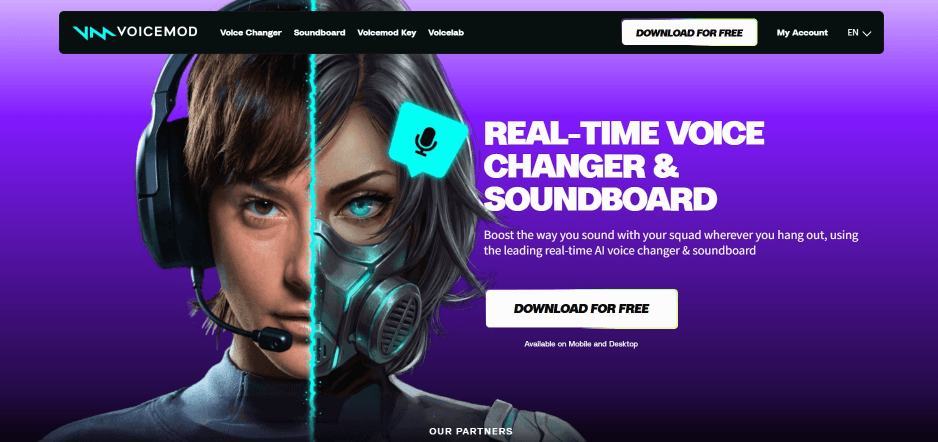
Voicemod is a real-time AI voice changer and soundboard tool. It lets users transform their voice during live chats, games, streams, online calls, and recordings. The platform also includes voice effects, custom voice tools, keybinds, soundboards, and a Text to Song feature for short meme-style music clips.
Key Facts
| Item | Details |
|---|---|
| Type | Real-time AI voice changer, soundboard, and voice effects tool |
| Output | Live voice effects, soundboard clips, custom voices, and short Text to Song snippets |
| Skill level | Beginner-friendly |
| Main strength | Fast live voice changing for Discord, gaming, streaming, and social content |
| Main limitation | Not designed for complete AI song generation or professional music production |
Voicemod is easy to understand: it helps you sound different live. If that is your goal, it can be useful. If your goal is to create a complete song from lyrics, prompts, or music ideas, a dedicated AI music generator will be a better fit.
Rating Summary for Voicemod Review 2026
Overall Rating: ⭐⭐⭐⭐☆ (4.3/5)
| Category | Review |
| Best for | Gamers, streamers, Discord users, role-play creators, meme creators, and casual video makers |
| Main Strength | Real-time voice changing with a large voice and soundboard ecosystem |
| Main Limitation | Free access can feel limited, and music creation features are lightweight |
Voicemod earns a strong score as a live voice changer and entertainment audio tool. It is fun, easy to test, and useful for performance-based content. However, it is less convincing as a serious music creation tool because it lacks full song structure, arrangement control, detailed editing, and professional vocal production features.
Voicemod Pricing: Is Voicemod PRO Worth Paying For?
Voicemod has a free version, but the free plan is mainly useful for testing. The free experience gives users rotating voice options, a clean mic effect, and basic soundboard access. That is enough to understand how the tool works, but it may feel restrictive if you want to use Voicemod every day.
Voicemod PRO is the paid upgrade. It unlocks more voices, more sounds, full customization options, VoiceLab, and unlimited soundboards. This matters most for users who regularly stream, play games, run Discord sessions, create short videos, or use soundboards as part of their online identity.
Voicemod Free vs Voicemod PRO
| Plan | What You Get | Best For |
| Voicemod Free | Rotating voice options, clean mic effect, basic soundboard access | Testing Voicemod before paying |
| Voicemod PRO | More voices, more sounds, VoiceLab, advanced customization, unlimited soundboards | Streamers, gamers, Discord users, and frequent creators |
| Mobile PRO | Monthly, yearly, or lifetime options depending on checkout availability | Mobile users who mainly need soundboard access |
Voicemod does not always show one fixed public desktop price on the main website. In many cases, users need to check pricing inside the app or during checkout. Prices may vary by region, platform, promotion, and account status, so users should always confirm the live price before buying.
Is Voicemod PRO Worth It?
Voicemod PRO is worth considering if you use voice effects or soundboards often. For example, streamers, role-play users, Discord hosts, and gaming creators may get real value from more voices, better customization, and unlimited soundboard options.
It is not worth paying for if you only want to test a few funny voices, create one short meme, or make full AI music. If your main goal is song creation, Voicemod PRO is not the best place to spend your budget.
For casual users, the free version is enough to try. For regular live content creators, PRO can be useful. For music creators who want complete songs or demos, MusicSeed is a stronger starting point.
What Real Users Say About Voicemod.net
Real user feedback on Voicemod is mixed. Positive users often say the tool is easy to set up, fun to use, and useful for Discord, gaming, and streaming. They like the clean interface, built-in voice filters, and soundboard features.
Negative reviews usually focus on free plan limits, paid features, technical problems, lag, setup issues, refund concerns, or support experience. This does not mean every user will have a bad experience, but it does show that Voicemod works best when expectations are clear.
What Users Like
- The interface is easy for beginners.
- Voice effects are fun for gaming, streaming, and live chats.
- Soundboard effects are useful for memes, reactions, and role-play.
- Setup is manageable once the microphone input is configured correctly.
- The tool works well for short-form entertainment content.
Common Complaints
- The free version can feel limited after the first test.
- Many better voices and customization features require PRO.
- Some users report lag, glitches, or microphone routing problems.
- A few users feel pricing and subscription information could be clearer.
- Support and refund experiences are not equally positive for everyone.
The review pattern is clear: people who want fun live effects often enjoy Voicemod. People who expect more free access, flawless stability, or full music creation are more likely to be disappointed.
For a music website audience, the main takeaway is simple. Voicemod is useful for voice effects and audio personality. It is not the best tool for producing complete music.
What Voicemod Actually Does
Voicemod is a real-time voice changer and soundboard that helps users transform their voice, trigger sound effects, build custom voices, and create short playful audio moments for live or social use.
That definition is important because many users confuse “AI voice changer” with “AI music generator.” Voicemod can change how your voice sounds. It can also create short Text to Song snippets for musical memes. But it does not replace a full AI song maker.
If you want to sound like a robot, villain, monster, radio host, cartoon character, or dramatic narrator during a live session, Voicemod makes sense. If you want to turn lyrics into a complete track, create an instrumental, build a demo, or generate background music for videos, MusicSeed, Suno, or Udio will be more relevant.
Hands-On Test: How Voicemod Works in Real Use
Test Scenario
For this review, the test scenario is based on a creator making short-form content. The goal is to record a funny voice line, apply a character-style voice effect, trigger a soundboard reaction, and test whether Voicemod can support a music-related meme idea.
This is a realistic use case because Voicemod is commonly used for Discord calls, Twitch streams, gaming clips, YouTube Shorts, TikTok videos, role-play sessions, and meme audio.
Generation Process
The workflow starts by downloading Voicemod and setting Voicemod Virtual Microphone as the input device. This step matters because Voicemod works by routing your microphone through its software before sending the processed voice into Discord, OBS, games, or other apps.
After setup, the user chooses a voice effect from the library. Some effects are designed for comedy, some for character voices, and some for more dramatic or robotic sounds. The “Hear Myself” option is useful because it lets users test how the voice sounds before going live.
The soundboard workflow is also simple. Users can trigger built-in sound effects or add custom clips depending on available access. Keybinds make the feature more practical during live sessions because users do not need to switch windows.
For music-style content, Voicemod’s Text to Song feature can turn short lyrics into playful song snippets. The process is quick: choose a melody, select a singer, enter lyrics, and generate the result. The output is fun, but it feels closer to a social audio feature than a serious songwriting tool.
Output Quality
The real-time voice changer is the strongest part of the experience. When the microphone setup is correct, Voicemod can be fast and entertaining. Some voices work especially well for role-play, gaming jokes, streamer characters, and dramatic reactions.
The soundboard is also genuinely useful. It helps creators add punchlines, reactions, transitions, and audio branding without editing every clip manually.
The weaker part is music creation. Text to Song can be fun for short meme-style song clips, but it does not offer deep music control. Users cannot expect advanced arrangement, detailed mixing, full lyric development, vocal production, genre control, or professional song editing.
Example Result
A creator could record a gaming clip, speak in a villain-style voice, trigger a dramatic soundboard effect during the punchline, and use a short Text to Song snippet as a funny outro. For this kind of content, Voicemod feels quick and enjoyable.
But if the same creator wants to create a full pop song, rap demo, background track, instrumental, or lyrics-to-music output, Voicemod quickly feels limited.
Compared with MusicSeed, Suno, or Udio, Voicemod is better for live performance effects. Dedicated AI music tools are better for creating actual songs.
Pros and Cons of Voicemod
Pros
- Easy to use after microphone setup
- Strong real-time voice changing
- Useful for Discord, gaming, streaming, and role-play
- Soundboard is practical for live reactions and short-form content
- Fun voice effects for casual creators
- PRO offers deeper customization through VoiceLab
- Works well as a performance tool, not just an editor
- Helpful for creator branding and recurring character voices
Cons
- Free version feels limited for regular use
- PRO pricing may not be obvious before checkout
- Some users report lag, glitches, or setup issues
- Not ideal for full music creation
- Text to Song is more of a fun feature than a serious music tool
- Refund and support complaints appear in user reviews
- Output quality depends heavily on mic quality and setup
- Not suitable for mixing, mastering, stem separation, or full arrangement control
Voicemod is a strong live voice tool, but it should not be judged as a complete music production platform. Its value depends on whether you need real-time voice effects or full music output.
Compare Voicemod with Other AI Music Tools
Voicemod sits in the wider AI audio space, but it does not compete with every AI music tool directly. It mainly competes with voice changers, soundboards, and live audio effects tools. When compared with AI song generators, the difference is easy to see.
| Tool | Best For | Main Strength | Main Limitation |
| Voicemod | Live voice effects and soundboards | Real-time voice transformation | Limited full song creation |
| MusicSeed | AI song creation and demo making | Turns ideas, lyrics, and prompts into music | Less focused on live voice chat effects |
| Suno | Prompt-to-song generation | Fast full-song creation | Limited detailed editing control |
| Udio | AI music experimentation | Creative song generation | Requires prompt testing |
| Kits AI | AI vocal workflows | Voice models and vocal conversion | Not mainly a full song generator |
| LALAL.AI | Stem separation | Vocal and instrumental splitting | Does not create music |
Choose Voicemod if your goal is to change your voice live. Choose MusicSeed if your goal is to create songs, demos, background music, or lyric-based tracks.
The decision is not really Voicemod vs MusicSeed in a direct sense. Voicemod helps you perform with a different voice. MusicSeed helps you create music from an idea.
Best Voicemod Alternatives for Music Creators
Voicemod is useful, but it is not the best tool for every audio workflow. These alternatives are better depending on what you want to create.
1. MusicSeed
MusicSeed is the best overall alternative if your goal is AI music creation. Instead of only changing your voice, MusicSeed helps users turn text, lyrics, and creative ideas into music drafts.
It is more suitable for songwriters, social media creators, beginners, and music creators who want complete tracks or usable demos. If Voicemod helps you sound different, MusicSeed helps you make music faster.
MusicSeed is especially useful for users who want to create demos, social media music, background music, lyric-based songs, and quick creative drafts without complex production skills.
2. Suno
Suno is a strong AI song generator for users who want quick full-song results from prompts. Compared with Voicemod, Suno is much better for full music generation, but it does not focus on live voice effects or soundboards.
3. Udio
Udio is useful for AI music experimentation and creative song generation. It can create impressive music ideas, but users may need to test prompts several times to get the result they want.
4. Kits AI
Kits AI is a better choice for AI vocals, singing voice conversion, and vocal model workflows. It is more music-focused than Voicemod, but less focused on live gaming or Discord voice effects.
5. LALAL.AI
LALAL.AI is useful for stem separation, vocal removal, and instrumental extraction. It is not a voice changer, but it is more practical for users who work with existing music files.
6. Voice.ai
Voice.ai is another AI voice changer option. It may appeal to users looking for different voice models, but users should compare stability, pricing, quality, and privacy expectations before choosing it.
7. ElevenLabs
ElevenLabs is stronger for AI voice generation, narration, and text-to-speech. It is not built as a gaming soundboard, but it is better for voiceovers and controlled spoken audio.
8. Murf AI
Murf AI is useful for business voiceovers, explainer videos, presentations, and narration. It is more polished for voiceover work, but less useful for live gaming voice effects.
9. Adobe Podcast
Adobe Podcast is a better choice if the goal is to clean, enhance, or improve spoken audio. It does not replace Voicemod’s live voice changer, but it can improve recording quality.
10. Soundraw
Soundraw is useful for generating background music. It is not a direct Voicemod alternative, but it may be better if the user needs music beds instead of voice effects.
MusicSeed is the best overall alternative for music creation. Voicemod is better for real-time voice effects. Kits AI, ElevenLabs, and LALAL.AI are better for specific voice or audio editing workflows.
Final Alternative Verdict
- Best overall alternative: MusicSeed
- Best for beginners: MusicSeed
- Best for professional vocal workflows: Kits AI
- Best for stem separation: LALAL.AI
- Best for voiceovers: ElevenLabs
If your goal is to make music, start with MusicSeed. If your goal is to sound different during a live chat or stream, Voicemod still makes sense.
Rating Breakdown: Voicemod vs Other AI Music Tools
Voicemod scores well in live voice changing, ease of use, and entertainment value. It scores lower in full music creation because that is not its main purpose.
| Evaluation Area | Rating | Notes |
| Ease of Use | 4.6/5 | Simple enough for beginners after setup |
| Real-Time Voice Changing | 4.5/5 | Strong for Discord, gaming, and streaming |
| Soundboard Features | 4.4/5 | Useful for memes, reactions, and live content |
| Music Creation Value | 3.3/5 | Fun for short snippets, weak for full songs |
| Customization | 4.1/5 | Stronger with Voicemod PRO |
| Free Plan Value | 3.5/5 | Good for testing, limited for regular use |
| Pricing Transparency | 3.4/5 | Users need to check live checkout pricing |
| Stability | 3.8/5 | Usually usable, but some users report lag or glitches |
| Creator Usefulness | 4.0/5 | Best for short-form and performance audio |
Voicemod vs Other AI Music Tools
| Tool | Voice Effects | Full Song Creation | Beginner Friendly | Best Use |
| Voicemod | Excellent | Limited | High | Live voice effects |
| MusicSeed | Moderate | Strong | High | AI song creation |
| Suno | Low | Strong | High | Prompt-to-song generation |
| Udio | Low | Strong | Medium | AI music experimentation |
| Kits AI | Strong | Medium | Medium | AI vocal workflows |
| LALAL.AI | Low | Low | High | Stem separation |
Quick pick: choose Voicemod for live voice effects, MusicSeed for AI music creation, Kits AI for vocal conversion, and LALAL.AI for separating vocals and instrumentals.
The key insight is that Voicemod is not weak because it cannot create full songs. It is simply built for a different job. It is a performance voice tool first and a music tool second.
Best Use Cases for Voicemod Soundboard and Voice Changer
Case 1: Gaming and Discord Voice Effects
Voicemod works well for gamers who want to sound like a robot, monster, villain, anime-style character, deep narrator, or radio voice. It can make multiplayer sessions more entertaining and help users create memorable voice moments.
For Discord users, Voicemod is especially practical because it works through a virtual microphone. Once the input device is set correctly, the voice effect can carry into live conversations.
Case 2: Streaming Reactions
Streamers can use Voicemod soundboard effects to trigger memes, alerts, reactions, and transitions during live sessions. This reduces the need for extra editing and helps make streams feel more interactive.
It can also help creators build recurring jokes or signature audio moments. For live content, that kind of repetition can become part of a channel’s identity.
Case 3: Role-Play and Storytelling
Voicemod can help tabletop players, role-play creators, and online storytellers create different character voices. A game master can switch voices for villains, creatures, narrators, or side characters without needing advanced audio editing.
This is one of the strongest creative uses for the platform because the voice effect adds atmosphere in real time.
Case 4: Short Social Media Clips
For TikTok, YouTube Shorts, Instagram Reels, and meme videos, Voicemod can add quick voice effects and soundboard moments. It works best when the content is short, funny, and performance-based.
A creator can record a spoken hook, add a dramatic voice, use a soundboard punchline, and turn the clip into a more memorable post.
Case 5: Music Meme Snippets
Voicemod’s Text to Song feature can be used for short musical jokes or social clips. It is not a full AI song maker, but it can support lightweight music meme ideas.
For example, a creator could type a short joke lyric, generate a quick song snippet, and use it as an outro for a funny video. That works well. But using it to build a complete song is not realistic.
Case 6: Creator Branding
Some creators use Voicemod to build a recognizable audio identity, such as a recurring voice, signature character, or soundboard effect. This can help make streams, gaming clips, and social videos feel more consistent.
For music creators, Voicemod is best used as a character or flavor tool. It adds personality to audio, but it does not replace a dedicated AI music generator.
Who Voicemod Is For
Best for
- Gamers who want real-time voice effects
- Streamers who need soundboard reactions
- Discord users who want fun voice filters
- Role-play creators and tabletop communities
- Short-form video creators making meme content
- Beginners who want a simple voice changer
- Creators who need live performance audio effects
- Users who want a custom voice identity for online content
Not Ideal for
- Users who want full AI song generation
- Producers who need detailed music arrangement tools
- Songwriters who want lyrics-to-music workflows
- Vocalists who need professional vocal production
- Users who need advanced stem separation
- Creators who want polished commercial music output
- People who only need one or two free voice effects
- Users who dislike app-based pricing or checkout-based plan details
Voicemod is best for changing how you sound in the moment. It is not the best tool for building a complete song from scratch.
How to Use Voicemod
Step 1: Download Voicemod from Voicemod.net
Start by downloading Voicemod from the official website. Install the app and follow the setup process. Voicemod works by creating a virtual microphone, which sends your processed voice into apps like Discord, Zoom, OBS, games, and streaming tools.
This is different from a normal audio editor. Voicemod changes your live microphone signal rather than editing a finished audio file.
Step 2: Set Voicemod Virtual Microphone as Your Input
Open the app where you want to use Voicemod. Select Voicemod Virtual Microphone as your input device. This step is important because most setup problems happen when the wrong microphone or speaker is selected.
For Discord, streaming software, or games, check the audio input settings before going live.
Step 3: Choose a Voice Effect
Pick a voice effect from the library. For gaming and streaming, character-style voices usually work best. For music-related clips, subtle effects, robotic filters, radio sounds, or exaggerated meme voices may be more useful.
Turn on monitoring if you want to hear yourself before others hear the effect.
Step 4: Test Your Microphone
Before using Voicemod live, test your microphone quality, background noise, and latency. A better microphone and quieter room can make the voice effects sound cleaner.
This step is important for streamers and creators because live voice effects can feel awkward if they lag, distort too much, or pick up background noise.
Step 5: Add Soundboard Effects
Use the soundboard to trigger sound effects during a call, stream, or recording. You can use available sounds or upload custom clips depending on your plan and access level.
For creators, this is one of Voicemod’s most practical features. It can make a video or stream feel more alive without requiring extra editing.
Step 6: Try Text to Song for Short Ideas
If you want to test Voicemod’s music side, try Text to Song. Enter short lyrics, choose a melody or singer, and create a playful audio snippet.
Use this for jokes, memes, or short social posts rather than complete tracks. If you want full AI song creation, MusicSeed will be more suitable.
Step 7: Decide Whether Voicemod PRO Is Worth It
After testing the free version, decide whether you actually need PRO. If you only use voice effects occasionally, free access may be enough. If you stream often, use soundboards regularly, or need more customization, PRO may be worth considering.
In real use, Voicemod is easy to start but depends on proper setup. Once the microphone routing works, the experience is fun. The main limitation is that the tool does not provide deep music creation control.
Conclusion
Voicemod is worth trying if you need a real-time voice changer, soundboard, or fun voice effects for Discord, gaming, streaming, role-play, and short-form content. It is easy to use, entertaining, and strong for live audio performance.
Voicemod PRO is worth paying for only if you use these effects regularly. Streamers, Discord hosts, role-play users, and gaming creators may benefit from more voices, deeper customization, and unlimited soundboards. Casual users should start with the free version first.
For music creators, Voicemod is useful as a voice effect and character audio tool, but it is not the best choice for complete music creation. Its Text to Song feature is fun, but it is better for short musical memes than full songs, demos, or professional tracks.
The final recommendation is clear: use Voicemod for live voice effects and soundboard moments. Use MusicSeed when you want to turn ideas, lyrics, or prompts into music.